How to Show Up in ChatGPT Search: A Checklist for Small Businesses
M. Zeeshan, Founder of GEOREX AI
Generative Engine & AI Search Intelligence
Share:
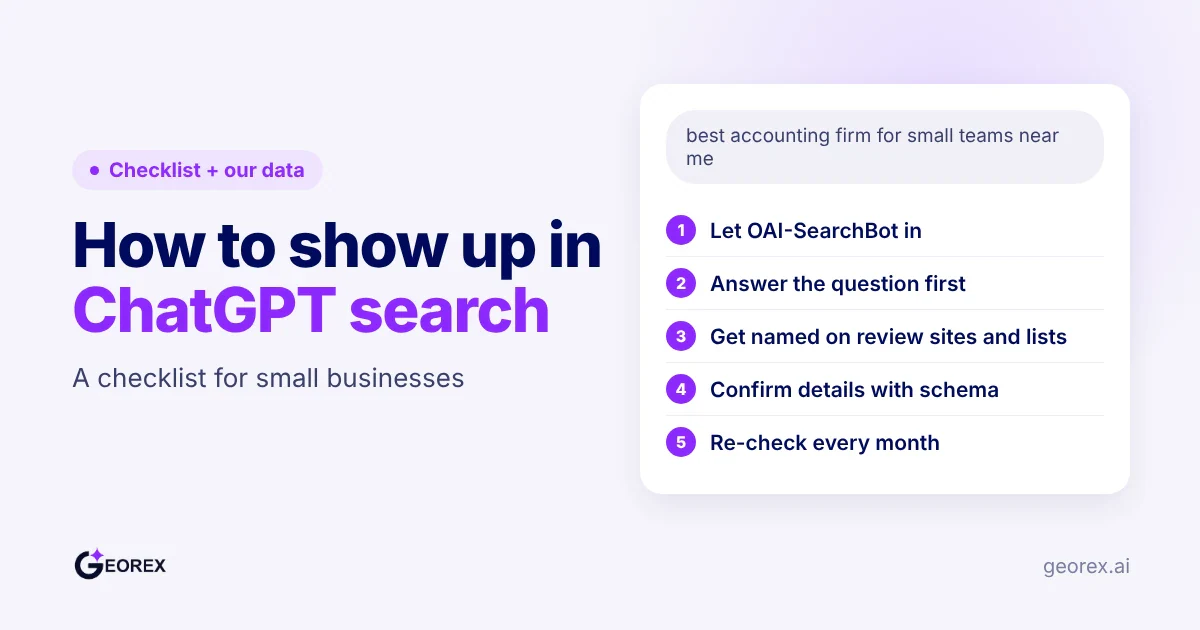
A small business shows up in ChatGPT search by making sure OAI-SearchBot can crawl its site, publishing pages that answer buyer questions directly, earning mentions on the review sites and "best X" lists that AI answers already draw on, adding Organization or LocalBusiness schema, and re-checking every month, because answers change over time.
Key takeaways
Check first: see whether OAI-SearchBot can read your site and whether ChatGPT names you for real buyer questions.
In our 50-brand study, ChatGPT named the brand in 31% of buyer answers, and for 52% of questions neither ChatGPT nor Gemini named it.
Answer the buyer's question in the first sentence of the page, and build pricing, comparison and local pages.
Get mentioned on review sites, "best X" lists and directories. In our study, these made up most of the sources Gemini showed.
Crawler access, a high spot in ChatGPT's own top-10 list or an llms.txt file will not get you named on their own.
How Do You Run a Quick ChatGPT Visibility Check Before You Start?
Start by checking whether ChatGPT names your business today. Ask several questions in the words real prospects use, such as how to find a provider, how to compare options or how to solve a specific problem. Save each prompt and answer so you can repeat the check after making changes. Our free AI visibility check runs a first version of this test for you.
M. Zeeshan, Founder of GEOREX AI
Author
Founder of GEOREX AI, an AI visibility platform that tracks how brands actually appear across ChatGPT, Claude, Perplexity, and Gemini, and turns the gaps it finds into a prioritized action plan.
Free AI visibility audit
See how AI engines describe your brand today
Check ChatGPT, Gemini and Google AI Overviews in minutes. No credit card needed.
Then check your robots.txt file to see whether OAI-SearchBot can access your pages, and keep its rule separate from GPTBot, which OpenAI uses for model training. Our free AI Crawler Checker reads the file and shows which AI bots are allowed or blocked.
What our checks found: most businesses are left out of AI answers
We ran three checks in October 2026, on the real ChatGPT and Gemini apps and on live websites. All three point the same way: being findable is not the same as being named.
Check
What we tested
What we found
50-brand study
500 buyer questions about 50 well-known brands, asked in ChatGPT and Gemini (1,000 answers)
ChatGPT named the brand in 31% of answers, Gemini in 37%. For 52% of questions, neither app named it.
Local agency check
24 "best [service] agency in [US city]" questions covering 30 small US marketing agencies
Both apps named 10 agencies, only Gemini named 6, and neither named 14.
robots.txt check
The robots.txt files of the 46 study brands we could read
None blocked an OpenAI bot, yet ChatGPT still named them in only 31% of buyer questions.
So crawler access is the first step, not the finish line. The rest of this checklist covers the two things that decide whether you get named: pages that answer the buyer's question, and mentions on sites AI answers already draw on. The method and all 50 brands are in our AI brand visibility study.
How Do You Let OAI-SearchBot Crawl and Index Your Site?
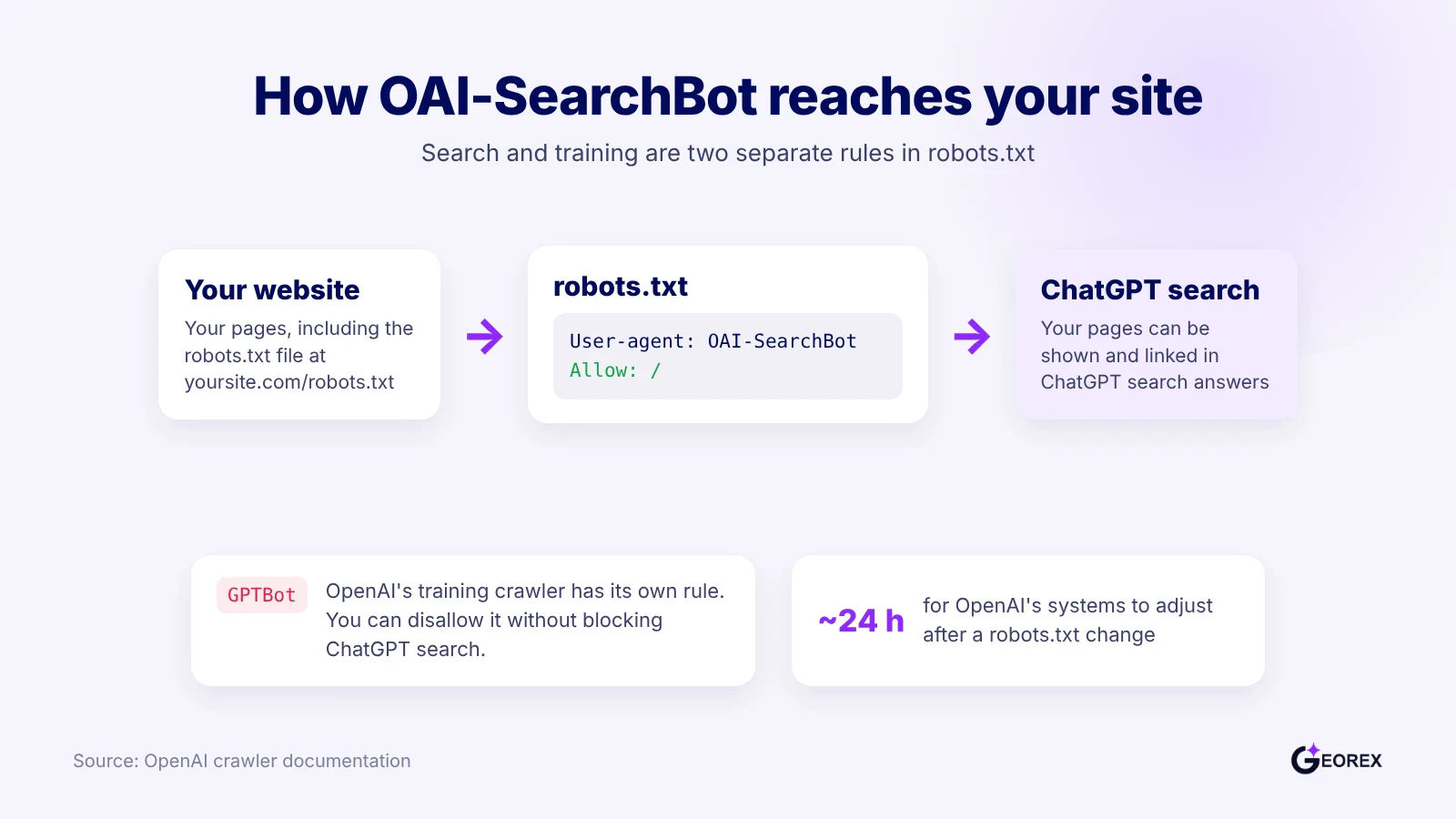
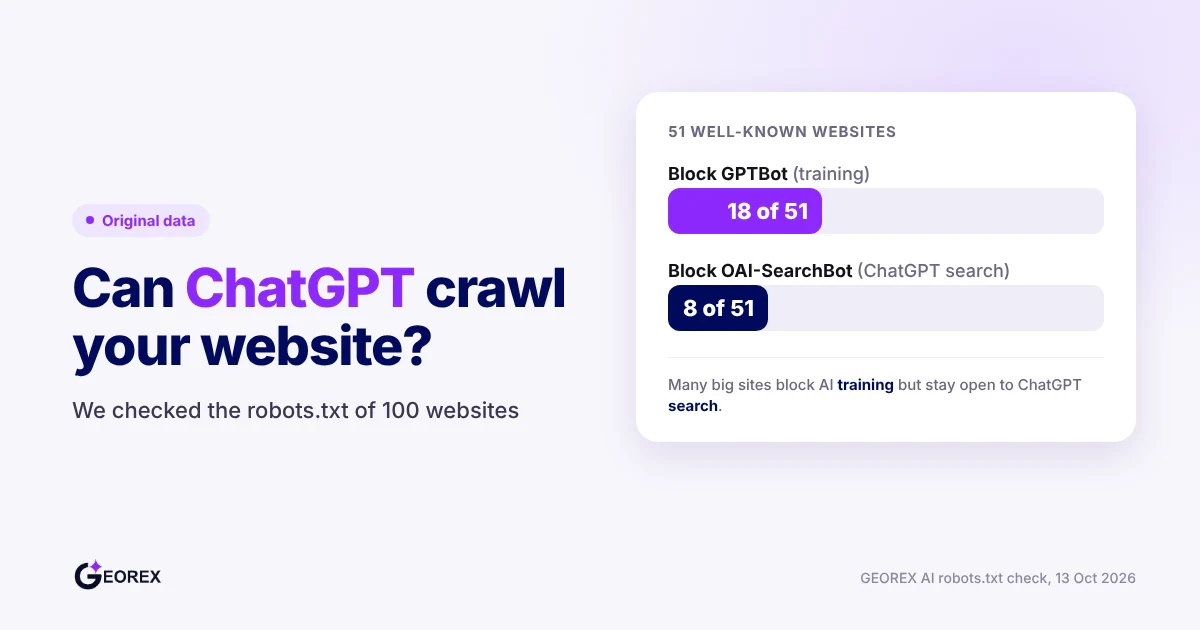
ChatGPT's search crawler, OAI-SearchBot, has to reach your pages before anything else on this checklist can work. OpenAI describes it as the crawler that surfaces websites in ChatGPT search, separate from GPTBot, which collects data for model training. OpenAI also says sites that opt out of OAI-SearchBot will not be shown in ChatGPT search answers, though they can still appear as navigational links (OpenAI).
OAI-SearchBot and GPTBot settings are controlled separately in robots.txt. Source: OpenAI
Allow OAI-SearchBot in robots.txt
Open your robots.txt file (yoursite.com/robots.txt) and confirm it does not disallow OAI-SearchBot, either by name or through a "User-agent: *" group that blocks everything. A simple setup that allows ChatGPT search but opts out of model training looks like this:
The GPTBot group is optional. It only opts your pages out of model training and does not affect ChatGPT search. OpenAI notes it can take about 24 hours for its systems to adjust after a robots.txt change. In our check of 51 big websites, 18 blocked GPTBot but only 8 blocked OAI-SearchBot; the full breakdown is in should you block GPTBot.
How Do You Write Pages That Answer Buyer Questions Directly?
The page that gets quoted is usually the one that states the answer before it explains anything else. Buyers type questions in plain language, things like "how much does X cost," "best X for a small team," or "X vs Y." A page that answers that question in its first lines is easier for an AI answer to quote than one that opens with company history or a mission statement. We cover the wider picture in how ChatGPT decides which brands to recommend.
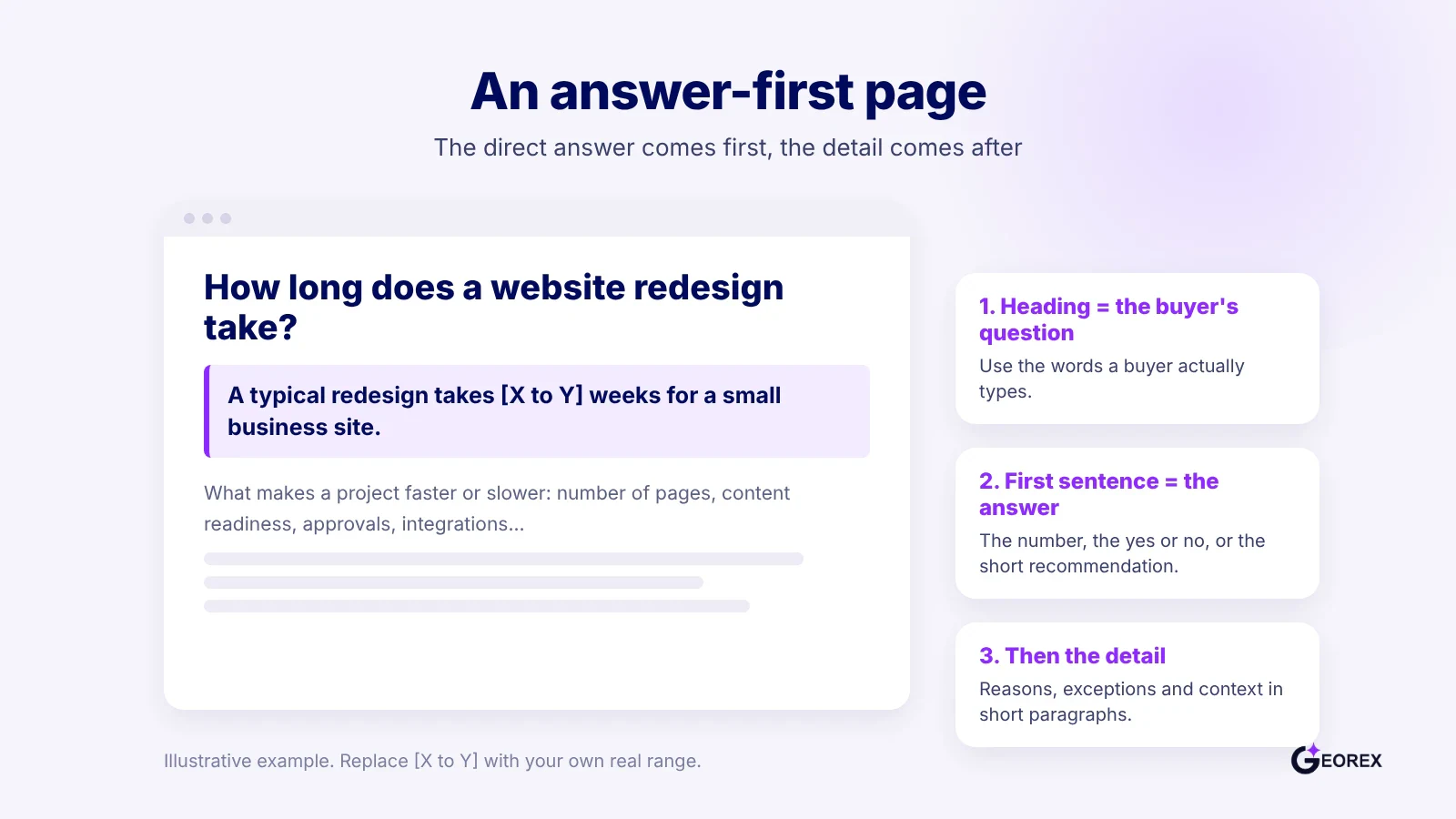
Pages ChatGPT quotes state the answer before explaining it.
Answer-first pages
An answer-first page gives the direct answer in its opening sentence, then builds out the detail underneath. Put the number, the yes-or-no or the short recommendation first, then explain the reasoning, exceptions and context in the paragraphs that follow. Use a heading that repeats the buyer's question in plain words, so the section clearly matches the question. Break supporting detail into short paragraphs or bullet points instead of one long block, so the answer stays easy to lift out and quote.
For example, a 10-person consulting firm writing "How long does a website redesign take" should state a typical range in the first sentence, then explain what makes a project faster or slower. A page that buries that answer under three paragraphs of company background will rarely get quoted, even if the information is accurate.
Buying-stage pages: pricing, comparisons, and local pages
Buying-stage pages are separate pages built for pricing questions, head-to-head comparisons, and local searches, because each one matches a different kind of buyer intent. A pricing page should state what the service costs or how pricing works, not just link to a "contact us for a quote" form. A comparison page, framed as "X vs Y," should lay out the real differences in a short table or list rather than vague praise for one side.
These pages matter most because they cover the questions where brands go missing. In our 50-brand study, ChatGPT named the brand in 38% of exploring questions, 31% of comparing questions and only 27% of ready-to-buy questions (Gemini: 44%, 36% and 35%).
Local pages, such as "X in [city]," should name the city, the service area and what is different about the local offer, like turnaround time or on-site visits. A marketing agency serving three cities is better served by three distinct pages than by one generic "our services" page, because each page then answers one local question clearly. Skipping these pages does not remove a business from search, but it removes the page an AI answer could quote at the moment a buyer is deciding.
How Do You Get Listed Where ChatGPT and Gemini Already Look?
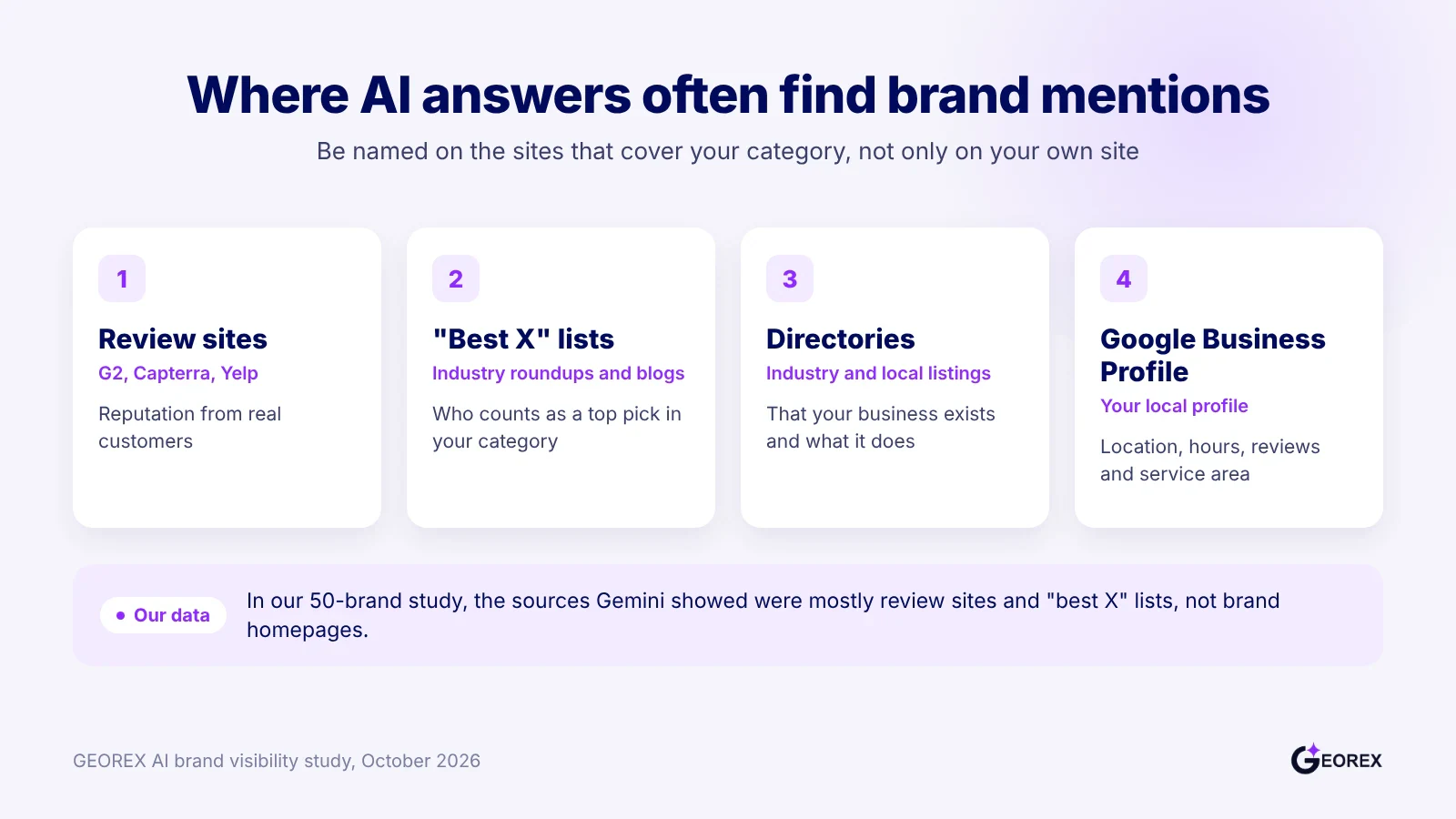
Your own site is only part of what AI answers draw on. In our 50-brand study, the sources Gemini showed were mostly review sites and "best X" lists, not brand homepages. So the next step is to be named on the review platforms, roundups, directories and profiles that cover your category.
Review sites, "best X" lists, directories and Google Business Profile are common places AI answers find brand mentions.
Review sites and "best X" lists
Get listed on the review sites and comparison roundups that cover your category, for example G2, Capterra, Yelp or trusted industry "best of" blogs. In our 50-brand study, these kinds of pages made up most of the sources Gemini showed.
Local businesses face the same gate. In our check of 24 "best [service] agency in [US city]" questions covering 30 small US marketing agencies, ChatGPT and Gemini both named 10 agencies, Gemini alone named 6 more, and neither app named 14 of the 30.
Treat "best X" placement as a core task, not a bonus. If no trusted list names your business, an AI answer has little outside evidence to name you.
Start with the lists and review sites your competitors already appear on, since those are the pages buyers already see for your category.
Google Business Profile and NAP consistency
Claim and fully verify your Google Business Profile, because Google states local ranking depends mainly on relevance, distance, and prominence, and recommends keeping profile information complete, accurate, and current (Google Business Profile Help).
Respond to reviews on your profile rather than ignoring them; Google lists review activity among the signals it recommends businesses manage directly (Google Business Profile Help).
How Do You Confirm Your Business Details With Schema Markup?
Use structured data to describe your business clearly, but do not expect markup alone to make ChatGPT name you. Google says structured data is not required for its generative AI search features, and there is no special Schema.org markup to add for them (Google Search Central).
Organization and LocalBusiness schema
Choose the most specific Organization subtype that fits your business, and place the markup on your homepage or one page describing the organization. (Google Search Central)
If your business is local, use LocalBusiness rather than a broader Organization type when it applies. Google recommends the most specific applicable subtype.
Add accurate details that match the page, such as business hours or departments, which LocalBusiness markup can describe (Google Search Central).
Use JSON-LD, which Google recommends for structured data eligibility. Do not add claims or details that visitors cannot see on the page (Google Search Central).
For example, a neighborhood shop could put its LocalBusiness markup on its homepage and include the hours shown there. If the hours change, update both the page and markup; mismatches make the structured data inaccurate.
Validate your markup
Validate the markup and confirm Google can access the rendered page before treating the setup as complete.
Run the page through Google’s Rich Results Test to check for markup issues.
Use URL Inspection to check the rendered page, and make sure robots.txt or a noindex directive does not block it (Google Search Central).
Compare each marked-up detail with visible page content. Correct formatting does not guarantee a rich result, and hidden or misleading information violates Google’s guidelines (Google Search Central).
How Do You Monitor and Maintain Your ChatGPT Visibility Over Time?
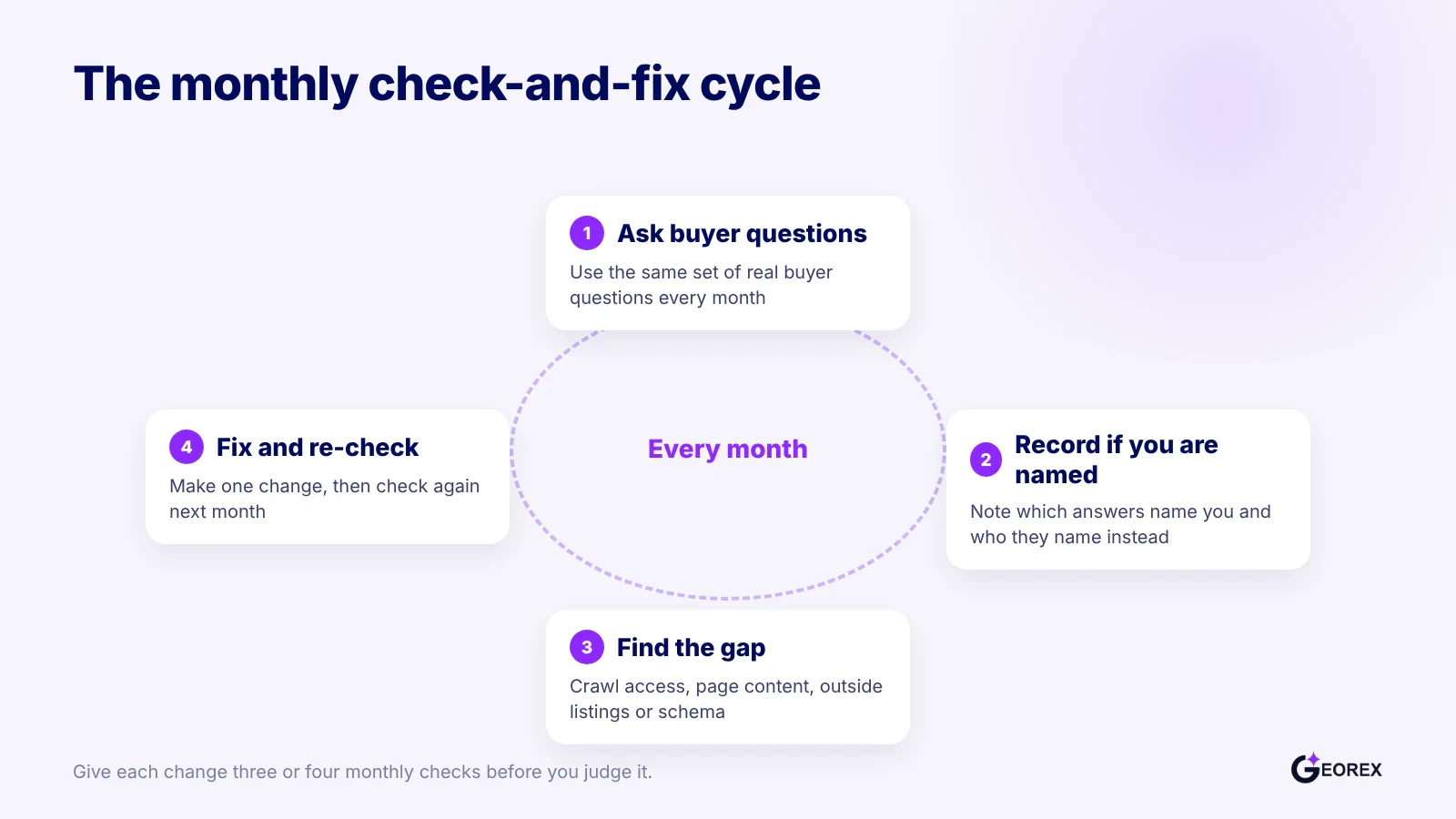
ChatGPT's answers to buyer questions shift from month to month, so one scan is not enough; you need a repeatable check-and-fix routine.
A repeatable monthly cycle keeps visibility checks current as ChatGPT's answers shift.
Re-check monthly
Re-check your ChatGPT visibility once a month, not every day. Daily checks swing around because the same question can get a different answer from one run to the next. Google's own Search Console guidance points the same way: comparing data by week or month reduces day-of-the-week noise and shows the real trend line instead of a single odd data point (Google Search Console Help). Apply that logic here. Run the same set of buyer questions on the first of each month, log which answers name your business, and give any page change three or four monthly cycles before you call it a win or a loss.
Track mentions across AI engines
Check Gemini and Google AI Overviews too, not only ChatGPT. In our 50-brand study, Gemini named the brand more often than ChatGPT at every buying stage, so a business can be visible in one and missing in the other. For the wider background on how these engines pick what to show, start with our guide to generative engine optimization (GEO).
What Doesn't Work on Its Own
Being high in ChatGPT's own top-10 list for your category
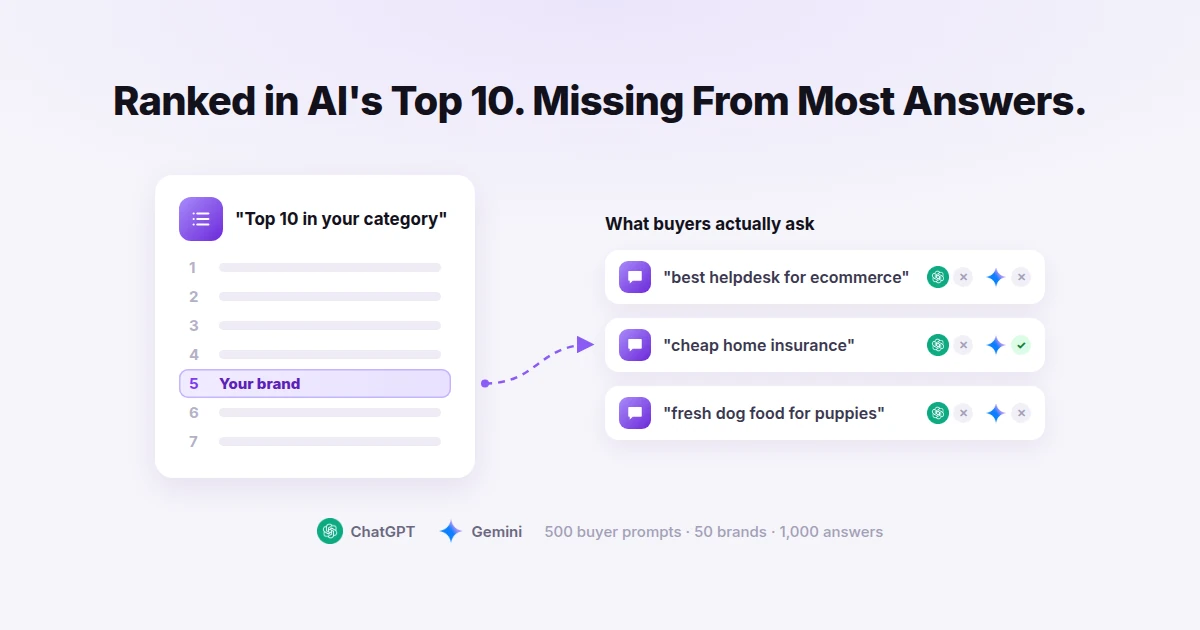
Ranking well in ChatGPT's own top-10 list for your category does not reliably get you named when a buyer asks a real question. In our 50-brand study, a brand's position inside the app's own top-10 list made almost no difference to how often it was named in answers.
Every brand in that study already sat in both apps' own top-10 lists, yet ChatGPT named it in 31% of buyer answers and Gemini in 37%, and for 52% of questions neither app named it.
Treat a top-10 placement as a sign the AI knows you, not as proof it recommends you.
Adding an llms.txt file by itself
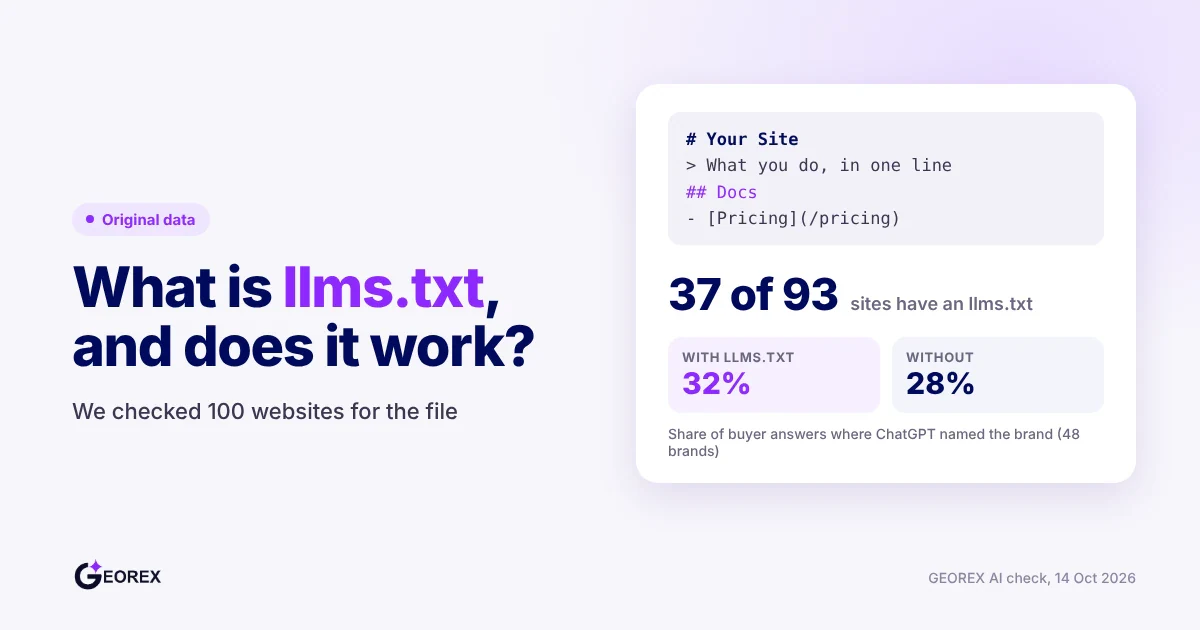
Publishing an llms.txt file does not get you named on its own. Google says Google Search does not use these files, though creating one is fine for other services (Google Search Central).
In our October 2026 check, 37 of 93 readable sites had an llms.txt file. Among the 48 study brands we could check, brands with one were named in 32% of ChatGPT answers versus 28% without, and 39% versus 37% on Gemini. A gap that small is not an effect, and it is correlation only. Details are in what llms.txt is and whether it works.
Add llms.txt as a small convenience file if you like, not as a visibility fix. Spend the real effort on pages that answer buyer questions.
Opening robots.txt without better pages and third-party mentions
Letting OAI-SearchBot crawl your site is necessary but not sufficient. In the same check, none of the 46 readable study brands blocked any OpenAI bot, yet ChatGPT still named them in only 31% of buyer questions (robots.txt check).
Access gets a site into consideration; it does not make the content answer-ready or earn mentions on review sites and "best X" lists that AI systems already trust.
Pair crawler access with buyer-question pages and off-site listings, not instead of them.
ChatGPT is more likely to name a business when its search crawler, OAI-SearchBot, can read the site, when a page on that site answers the buyer's specific question directly, and when sources AI answers already draw on, such as review sites, "best X" roundups and directories, mention the business by name. These three conditions usually need to work together rather than any single one alone.