
Loading
Loading
Loading
Loading
Every competitor GEOREX discovers is scored the same documented, weighted way, the same formula for every account and every industry, rather than a subjective "these seem similar" list.
| Match factor | Weight |
|---|---|
| Buyer substitution | 35% |
| Target audience match | 20% |
| Product/feature overlap | 15% |
| Brand positioning | 10% |
| Price segment | 10% |
| Category similarity | 5% |
| AI citation frequency | 5% |
A business-model check runs alongside this score: when a competitor's business model clearly differs from yours, its match score drops by 15 points.
Most competitors land in one of two categories, decided by the same computed buyer-substitution score behind the 35% weighting above:
The classification is deliberately conservative, a brand only earns "Market Competitor" when the evidence supports it. A few brands get a more specific label instead, such as Content, Marketplace, Local, Regional or Enterprise Competitor, or Needs Review when the evidence is unclear.
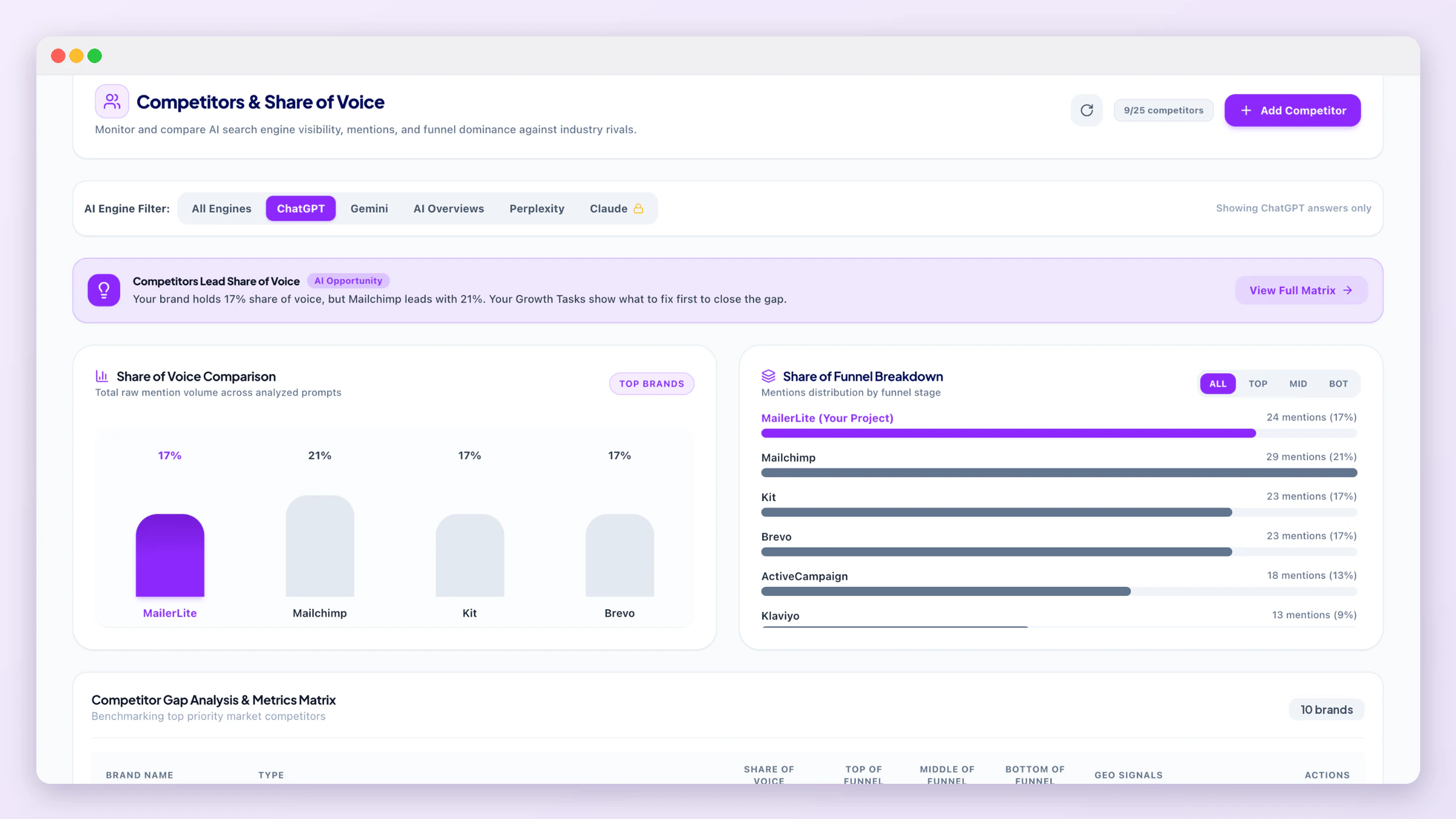
The page compares you with every tracked competitor: a Share of Voice Comparison, a Share of Funnel Breakdown (top, middle and bottom of the funnel), and the Competitor Gap Analysis & Metrics Matrix, where each row shows how often that brand is mentioned, cited and used as an AI source across your prompts, next to your own row.
Share of Voice is a brand's part of all the brand mentions in these answers, so the column adds up to about 100%. Under each percentage you see the real numbers, for example "1 of 2 brand mentions": when only a few brands are named so far, one mention can be 50%, and the percentages settle as daily updates add answers.
Click the prompts button on any row (your own row too) to see exactly which tracked prompts made that brand count: the prompt, each engine where it was mentioned, cited or used as a source, and the part of the answer where it appeared. The list follows the AI Engine Filter at the top of the page.
When you set up a domain, GEOREX searches Google in your own market (your country, and your city for local businesses) for what your customers search, and picks competitors from the businesses that really show up there, including the map results. Every competitor's website is checked and its name is taken from the site. For shops and product brands, the big marketplaces where the same shoppers buy (for example Daraz, Amazon or noon) are tracked as Marketplace Competitor.
AI keeps naming these: above the matrix, GEOREX lists the brands that the AI answers to your questions name but you don't track yet, with how many answers named them. Click Track to add one (your plan's competitor allowance applies).
Use Add Competitor to track a brand GEOREX didn't find, and the edit and delete buttons on each row to change its name, website or type, or stop tracking it. The counter next to the button shows how many competitors you track against your plan's allowance (see Plans & Pricing). Mentions, citations and share of voice are always measured from real AI answers, so they can't be edited by hand.
On paid plans a chart above the matrix places every brand, you included, on two axes: how often AI names it (the share of your tracked prompts whose answers mention it) and how much of that attention is in ready-to-buy questions (the share of the brand's mentions that come from bottom-of-funnel prompts). The dotted lines sit at the middle of the pack, so the four corners are relative to the brands in your project: Leader (named often, and in buying questions), Niche (rarely named, but close to a decision when it is), Broad (named often, mostly in early research) and Low. Hover a dot for the exact numbers. A rival in Leader while you sit in Broad means you are known but not chosen: the comparison and pricing tasks on the Growth Tasks board are the fix.
Being named is one thing; what AI says about you is another. On paid plans the Brand profile card asks every engine on your plan, brand by brand (you plus the five rivals AI names most), whether each attribute of your business is true of that brand, how it would describe the brand to a buyer, who it is best for and how it is priced. Attributes are the things buyers compare in your market (price level, coverage, speed, support, specific capabilities, trust signals). They are written once from your own business, brand book and tracked prompts, and you can edit them: press Attributes, change the wording or the yes/no question, tick My website claims this, keep between 4 and 10, or have them written again from your business. Changes apply from the next run.
The card shows how often the engines agreed with your claims, how many attributes you lead, a radar of you against the rival that wins most, and a matrix with a tick, a dash or a question mark per brand and attribute (a crown marks the brand AI credits most). Below it, Perception gaps list what your website claims that AI denies or cannot confirm, and where a rival gets the credit, each with the engine's own words and an Add to Growth Tasks button that writes a task with concrete fix steps. “How each engine describes you” shows the exact description, best-for line, price position, sentiment and the sources each engine used; your rivals' descriptions are one click below.
The profile is refreshed automatically once a week; Refresh asks the engines again now, once per week. After the second run a small trend line shows whether AI agrees with you more or less over time.

Use the AI Engine Filter to see share-of-voice and competitor standing for a single engine, ChatGPT, Gemini, Google AI Overviews, Perplexity, or Claude, instead of the blended, all-engine view.
Where competitors come from
See exactly which domains are being cited, per engine, in Citations.