
Update History
On a paid plan you don't run scans yourself. GEOREX updates your AI visibility automatically, on the schedule your plan includes, and Update History (in the sidebar, under Overview) keeps every update: what went up, what went down, how your numbers move over time, and how each prompt did on each AI engine.
How automatic updates work
- Every prompt is asked several times. AI engines don't give the same answer twice, so each update asks ChatGPT, Claude, Gemini and Perplexity every one of your prompts 3 times. Your numbers count every answer, which makes them steadier and fairer than a single answer.
- Everything goes live together. Your prompts, citations, competitors, tasks and score all update at the same moment, so you never see new numbers next to old tasks.
- How often depends on your plan (see Plans & Pricing). The header shows the countdown to your next update, for example “Next update in 3h 20m”, in your own time zone.
- Your first update is your baseline. Right after you subscribe you get a quick scan, so the dashboard is never empty. The first full update follows the same night; from then on every update is compared with the one before.
The one-line summary on your Overview
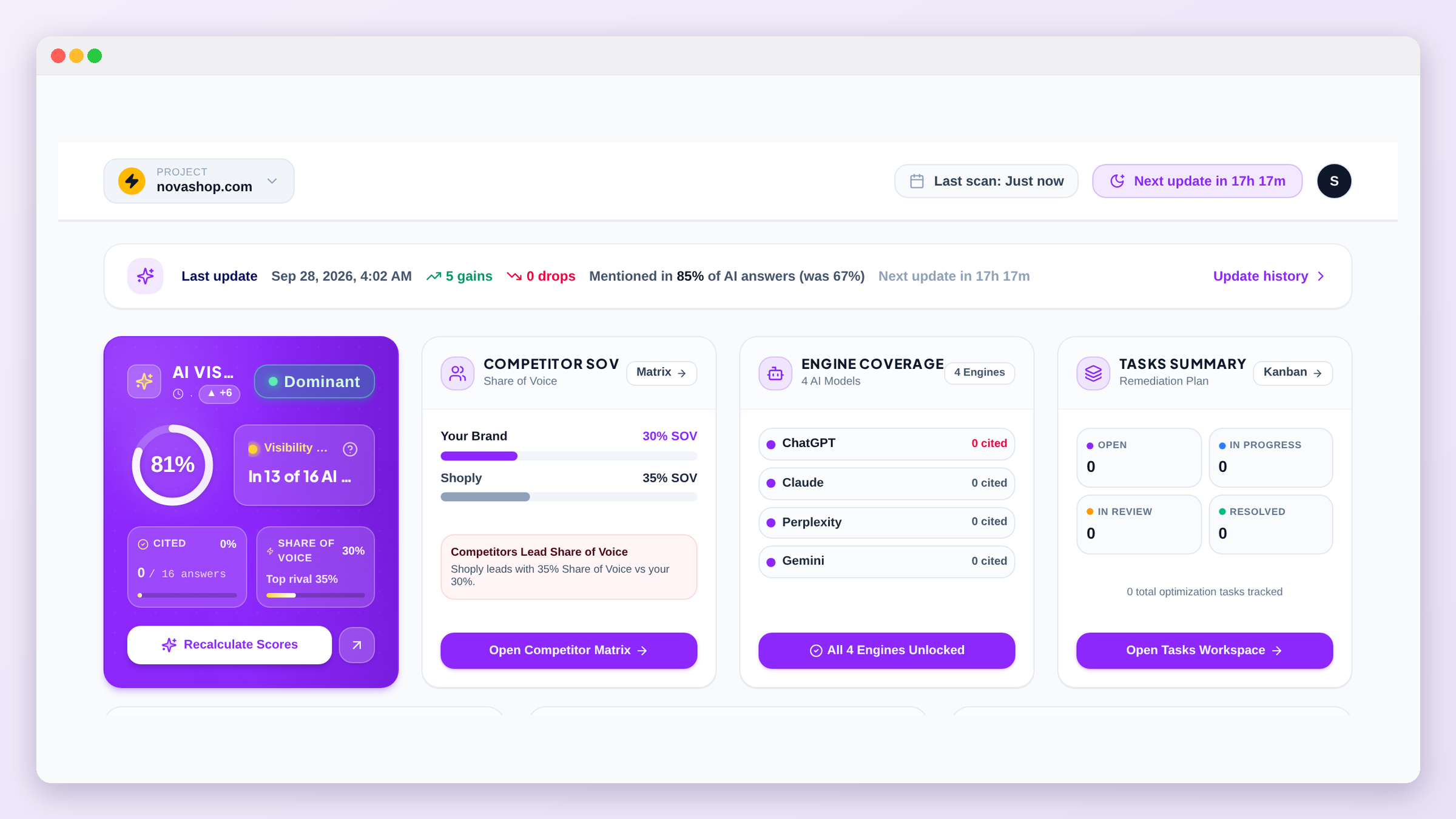
The top of the Overview shows one line about your last update: when it went live, how many things improved and how many dropped, and how often AI engines mentioned you (with the number before). Click Update history on that line for the full details.
Your trends
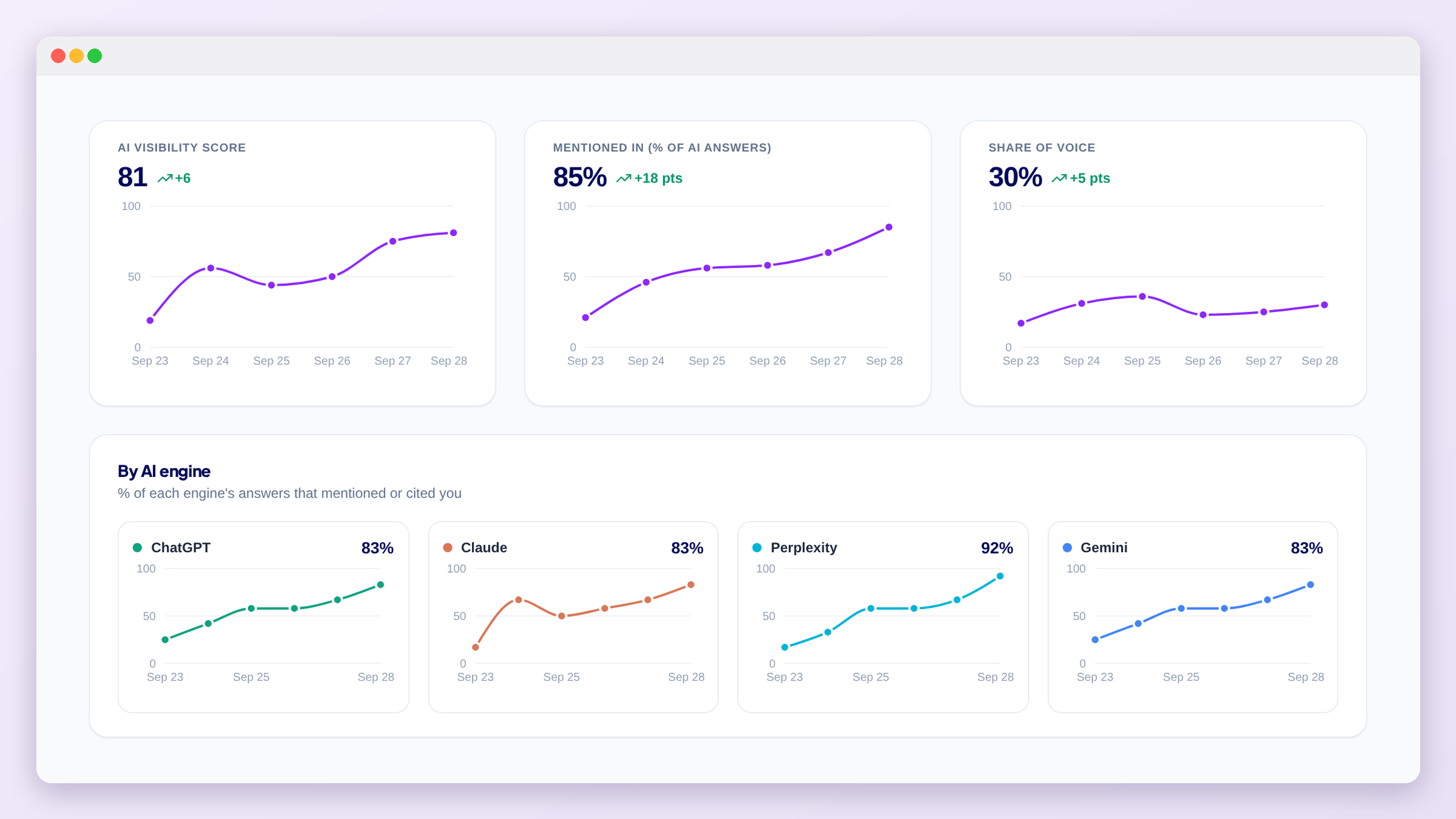
The page opens with three charts, one point per update:
- AI Visibility score, your overall score.
- Mentioned in (% of AI answers), how often AI engines name or cite you.
- Share of voice, your share of all mentions of you and your tracked competitors.
Below them, one small chart per AI engine shows how often that engine mentions or cites you, so you can see which engine is moving. Hover any point for the exact value and date.
Every update, and what changed
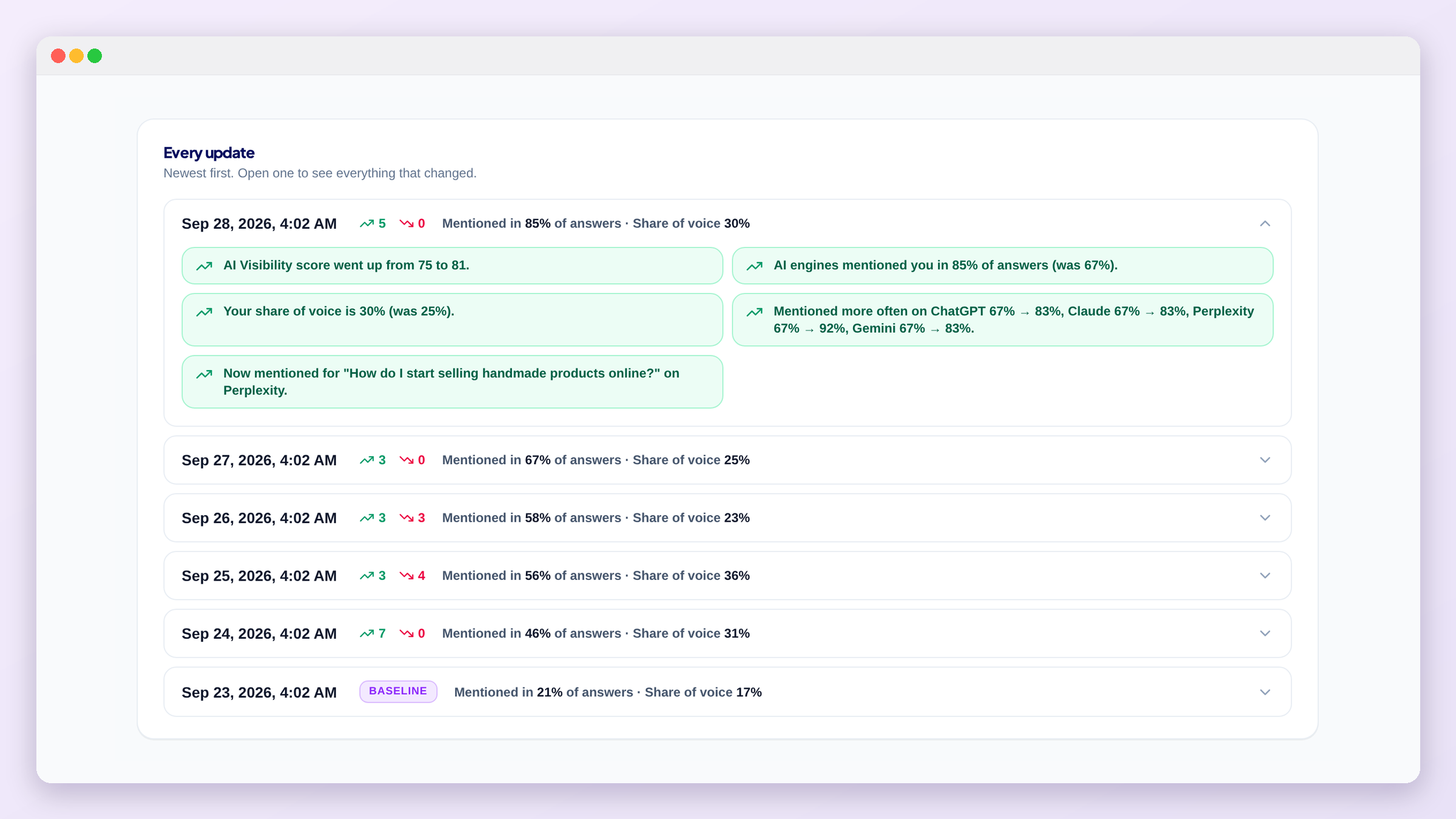
Every update is listed, newest first, with its number of gains and drops. Open one to see everything that changed. Only real changes are listed, small ups and downs are ignored, for example:
- your AI Visibility score, mention rate or share of voice moved noticeably;
- an AI engine mentions you a lot more (or less) often;
- a prompt where AI engines now mention you, or no longer do, and on which engines;
- a competitor that passed you in share of voice, or one you passed;
- new tasks created from the new answers.
You also get an email
Prompt history
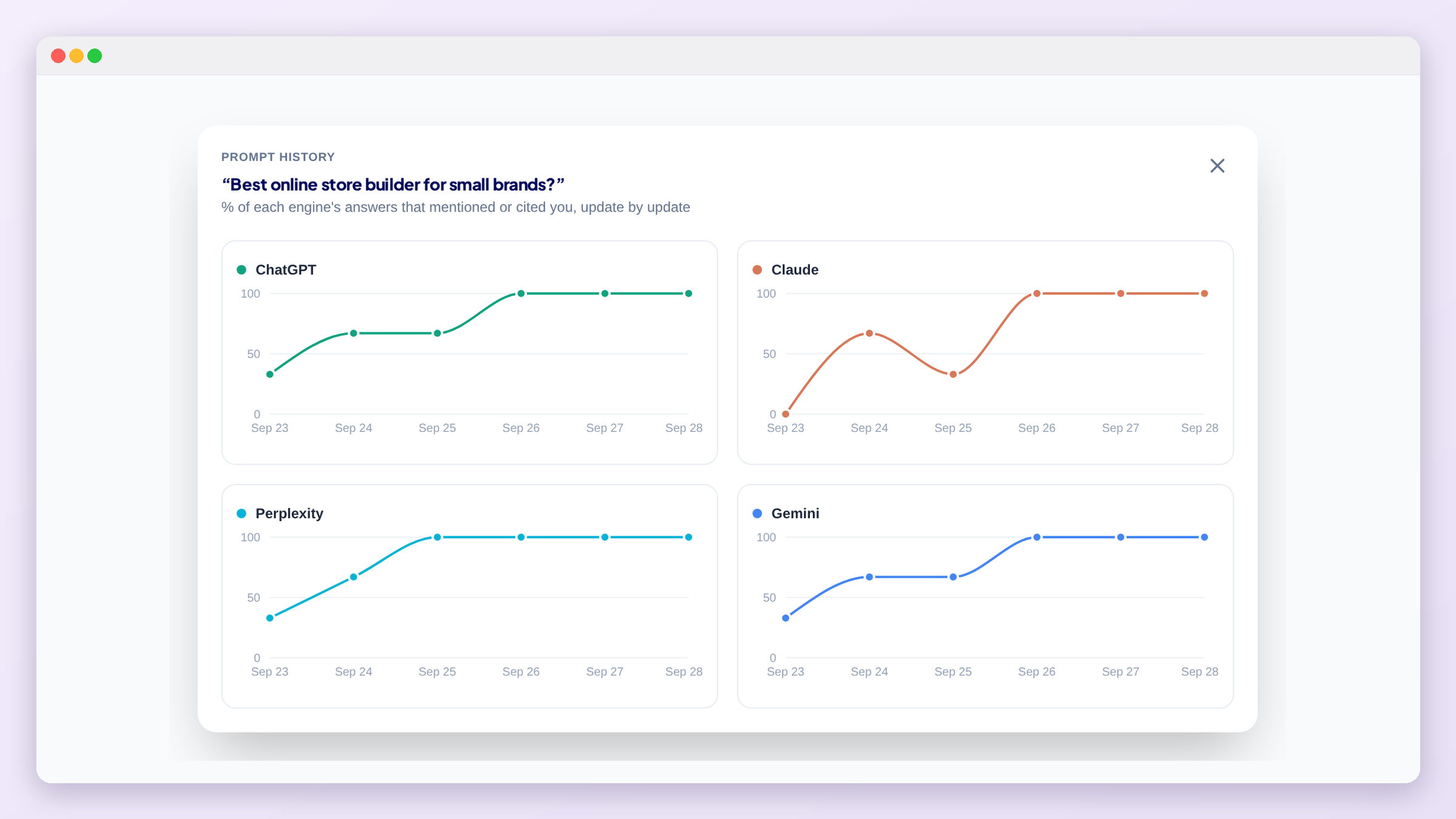
For each prompt and each AI engine you see one box per update, for your latest updates. 2/3 means you showed up in 2 of that engine's 3 answers; the darker the box, the more often you showed up. This makes it easy to spot a prompt you are winning, or one you are slowly losing.
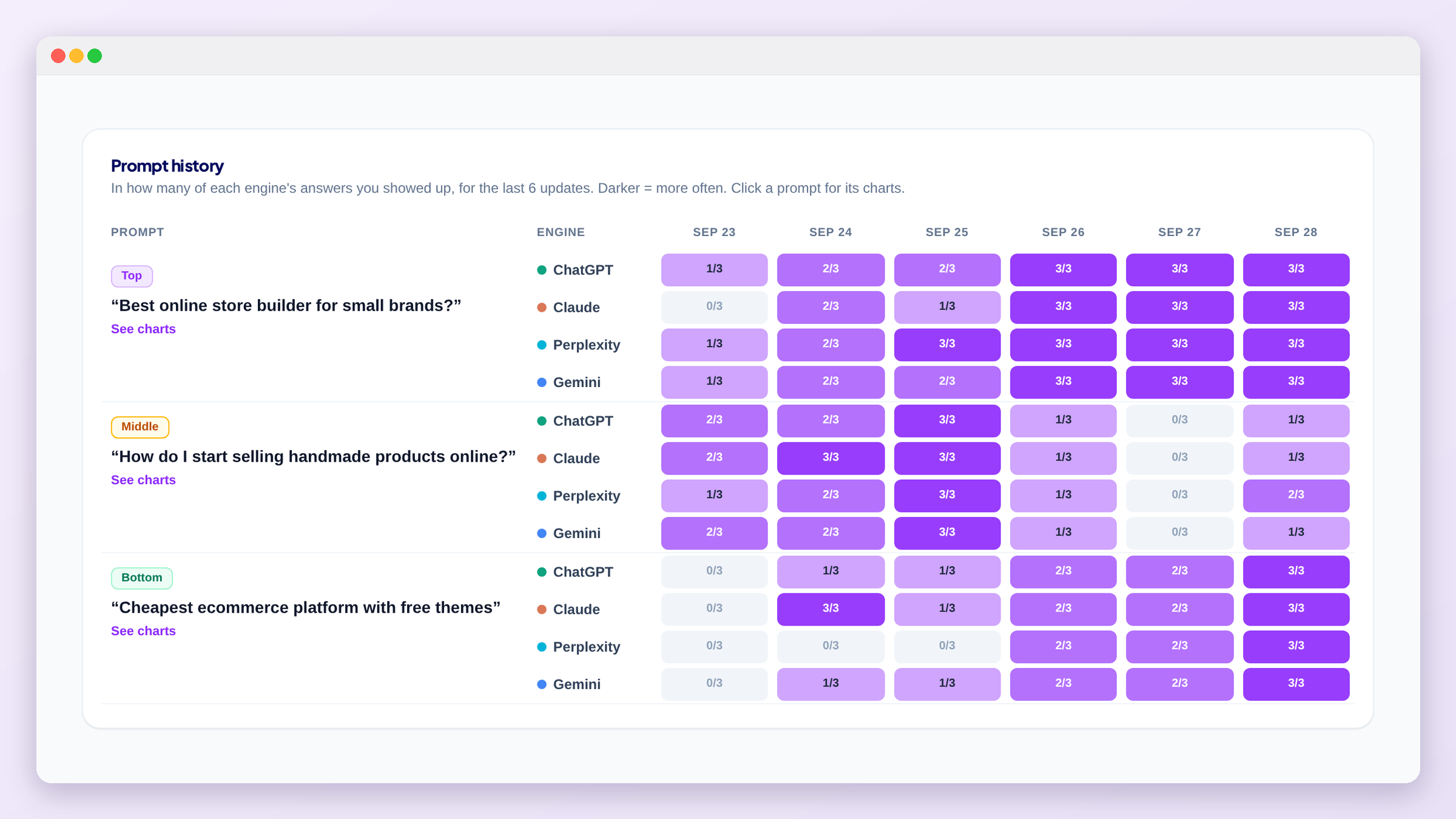
Click a prompt to open its charts, one per AI engine, showing the share of answers that mentioned or cited you over time.
The same “2/3 answers” count also appears under each status in the Prompts matrix.
History starts with your first automatic update
What's next
Turn a drop into action in Tasks, or see which sources AI engines rely on in Citations.