
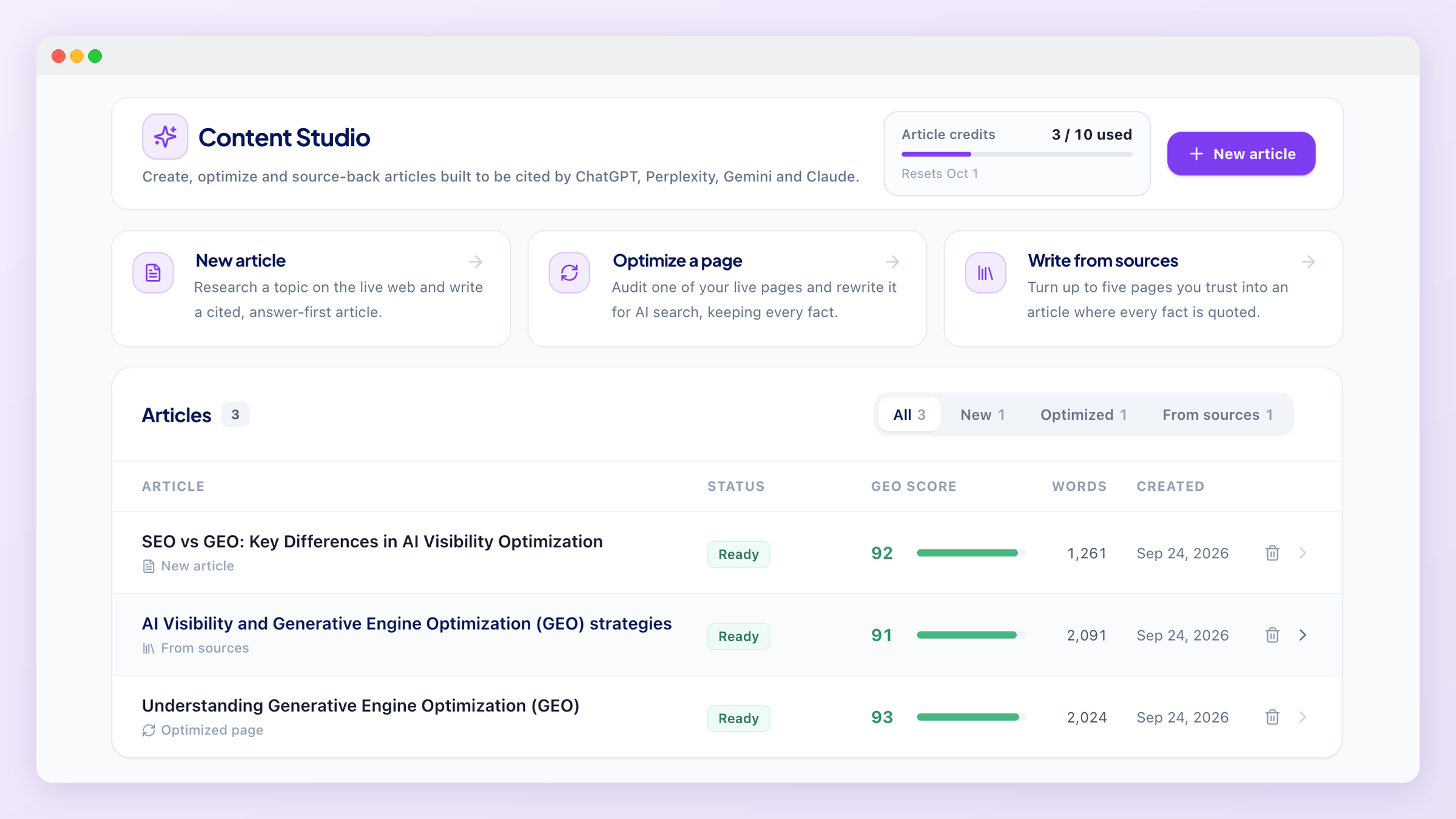
Content Studio
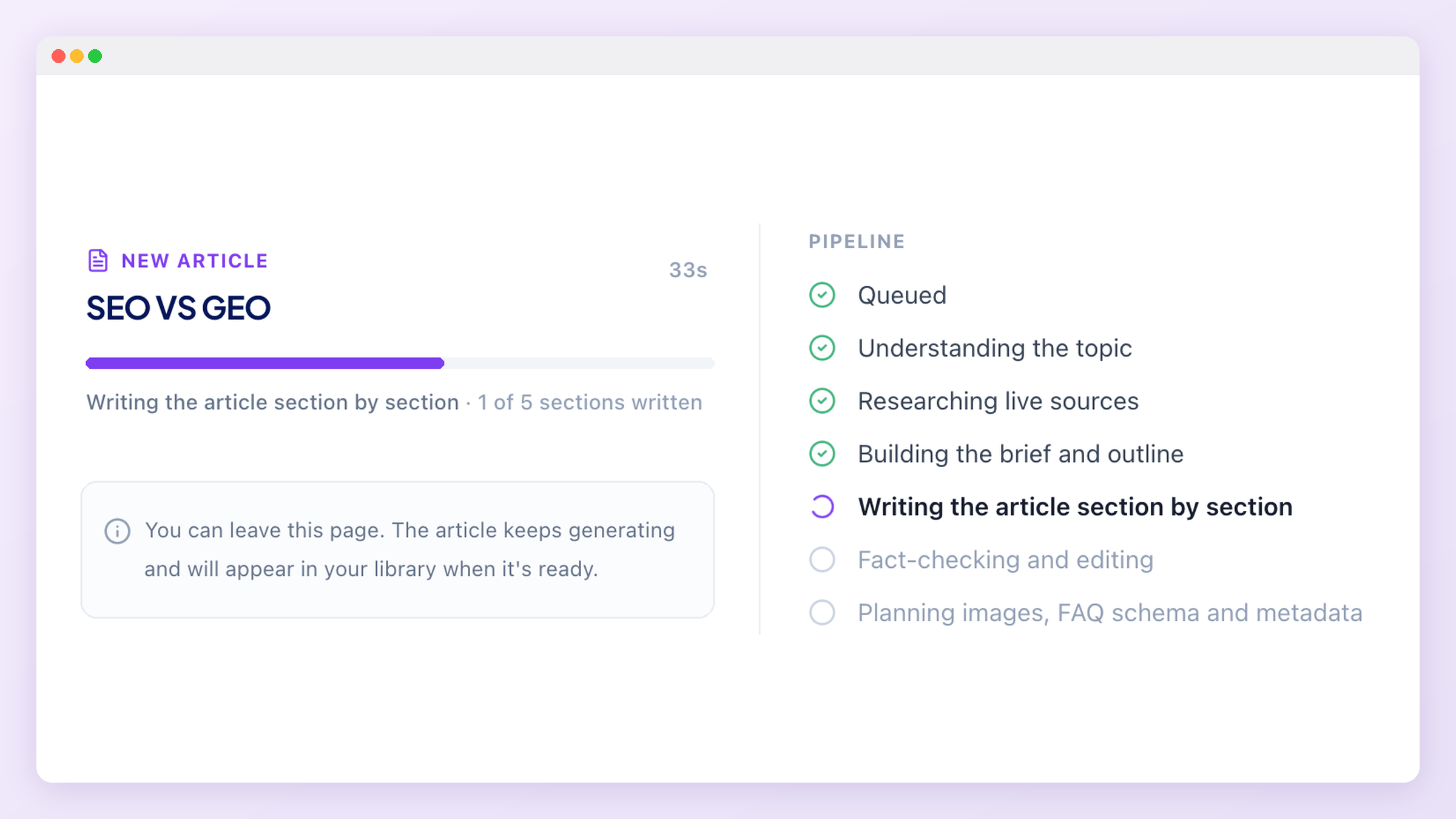
Content Studio writes content designed to be quoted by AI answer engines, not just ranked by search engines. It uses your brand profile and tracked prompts as context, researches the topic on the live web, verifies every fact against the page it came from, writes the article section by section, then checks and edits its own work before you ever see it. Generation runs in the background, so you can leave the page and come back when it's ready.
Before you start
Content Studio writes for the project you have selected in the switcher, so the brand profile from onboarding is what makes the output yours rather than generic. Two things are worth checking first: that your tracked prompts are in place, because the article can be aimed at the questions you actually want to win, and that you have article credits left on your plan.
The three modules
All three produce the same kind of finished article, with the same checks and the same score. They differ in where the facts come from.
- New article starts from a topic or question and researches it on the live web.
- Optimize a page starts from one of your existing URLs, audits it, and rewrites it without losing anything that page already says.
- From sources starts from up to five URLs you trust and uses nothing else.
New article
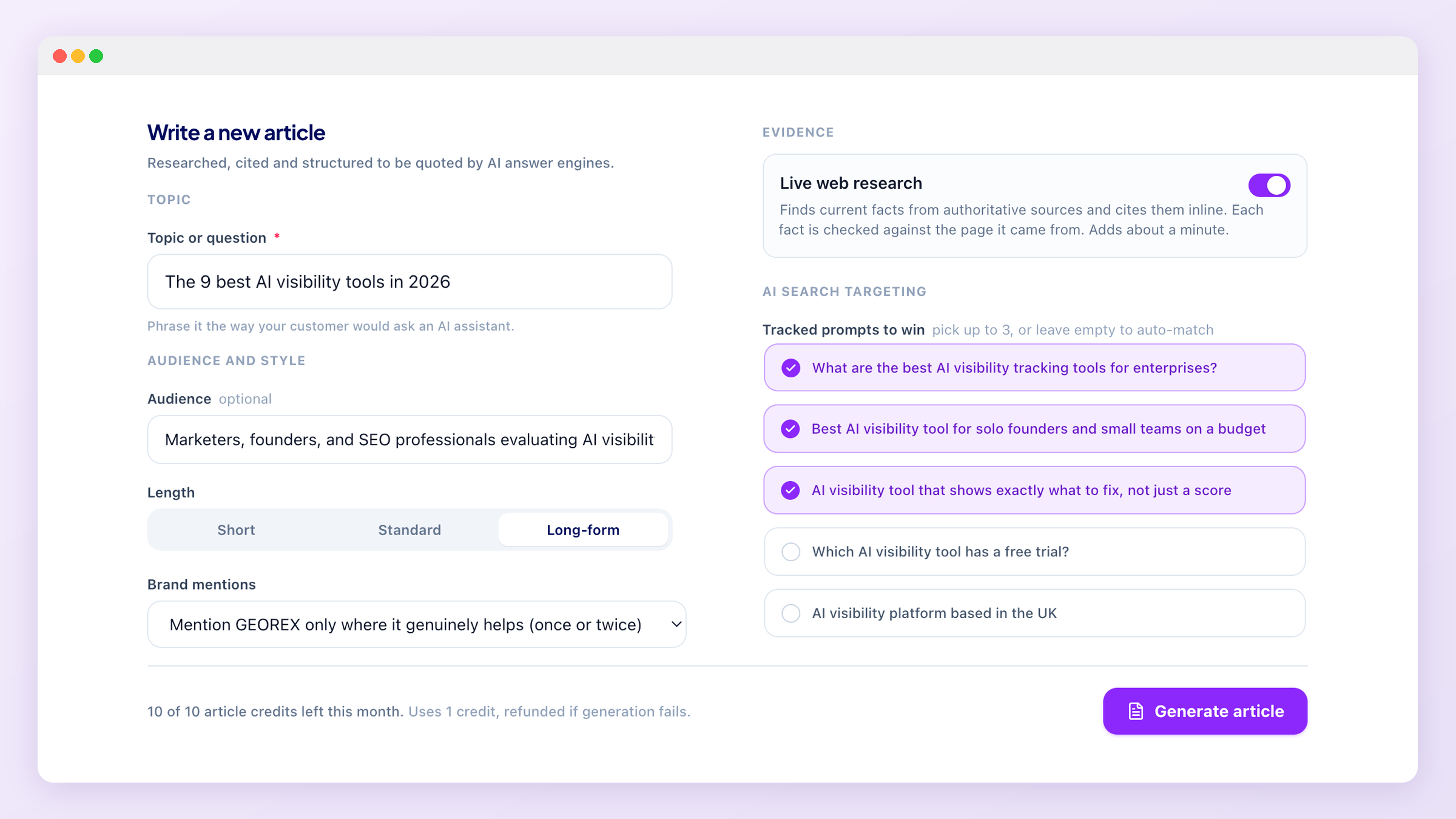
Enter the topic the way a customer would ask an AI assistant. If what you typed is already a finished headline, it is used as the title unchanged, so your wording survives. Everything else on the form shapes the article: audience and tone set who it speaks to, length picks a target of about 900, 1,500 or 2,400 words, focus keywords steer the phrasing, and your notes are treated as facts you have supplied and can be stated directly.
Two settings deserve a moment. Live web research gathers current facts and cites them inline; with it off, the article is written from your notes and brand profile alone and will have no citations. Tracked prompts to win lets you pick up to three prompts the article must answer. Leave it empty and only prompts that genuinely match the topic are used, so a buying-guide prompt can no longer drag an explainer off course.
Optimize a page
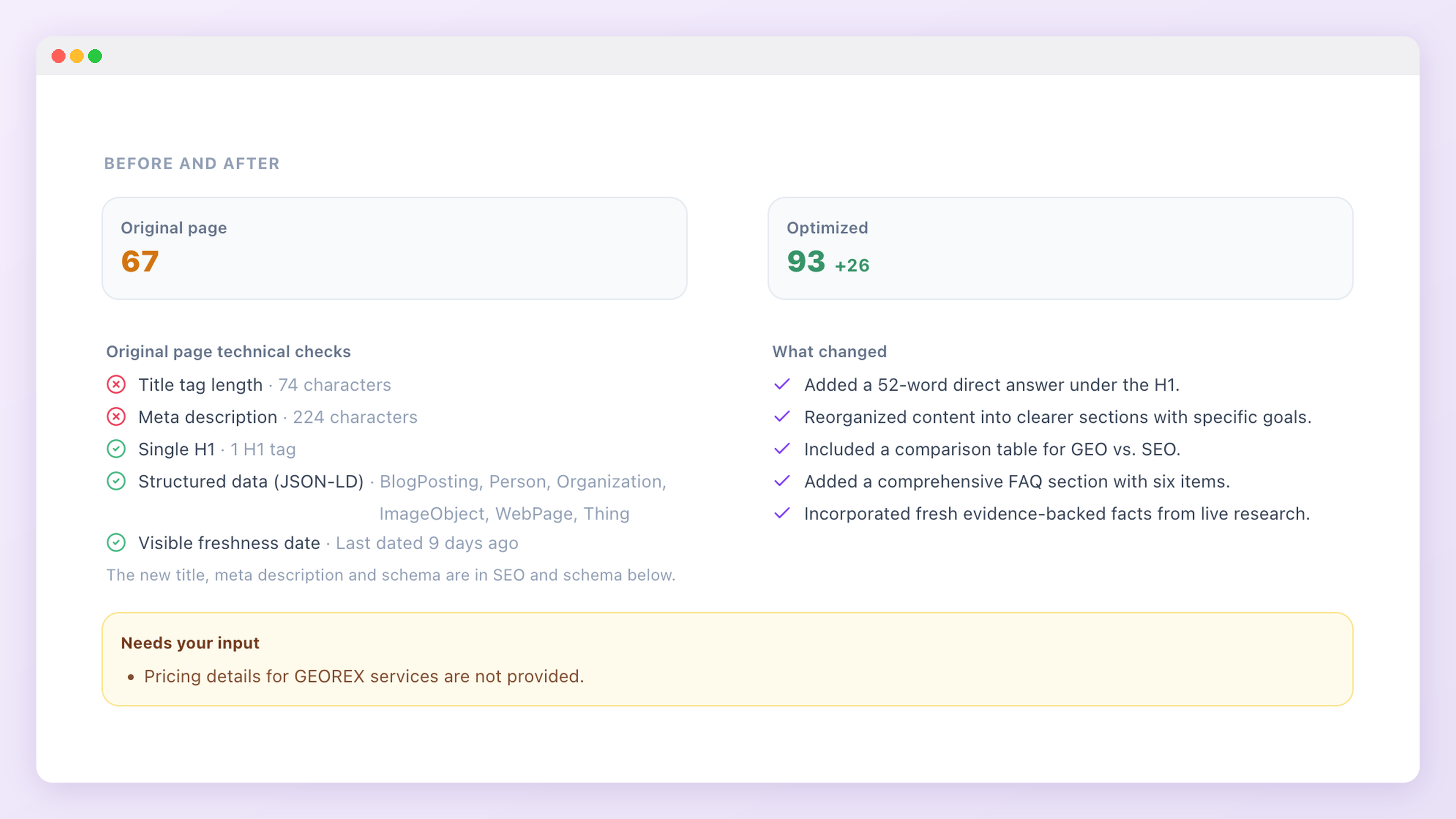
Paste the URL of a live page. Content Studio reads it, scores it as it stands, and runs technical checks on the title tag, meta description, H1 count, structured data and visible freshness date. It then lists every concrete fact on the original page, assigns those facts to sections of the rewrite, and checks afterwards that each one survived. Anything the rewrite dropped is put back before the article is finalised.
You get a before and after score, a change log of what was improved, and a list of gaps only you can fill, such as pricing that appears nowhere on the page. If the page is on your own domain, the rewrite keeps your voice, including "we", and your brand is mentioned as freely as the original did.
From sources
Add up to five URLs you trust, such as a report, a standard or your own documentation. Content Studio extracts facts from each page and keeps a fact only when the exact sentence it came from can be found on that page, word for word. The article is then written from those facts alone, with inline citations and a full Sources list. If a source can't be read, it is reported instead of silently skipped.
How an article is built
The brief decides the outline, gives every section a word budget, assigns each verified fact to the section where it answers something, and plans the FAQ and any comparison table. Sections are then written separately, each one seeing only its own facts and the outline of the others, which is what keeps a long article from repeating itself or drifting. The opening summary and key takeaways are written last, from the finished body, so they describe what the article actually says.
Then the article is checked, and only the sections with a problem are rewritten: a section that came out too short, a number with no source, a paragraph that reads like a leftover instruction, hype about your own brand. An edit is kept only if it measurably improves that section. You can watch each stage as it happens.
Evidence and fact checking
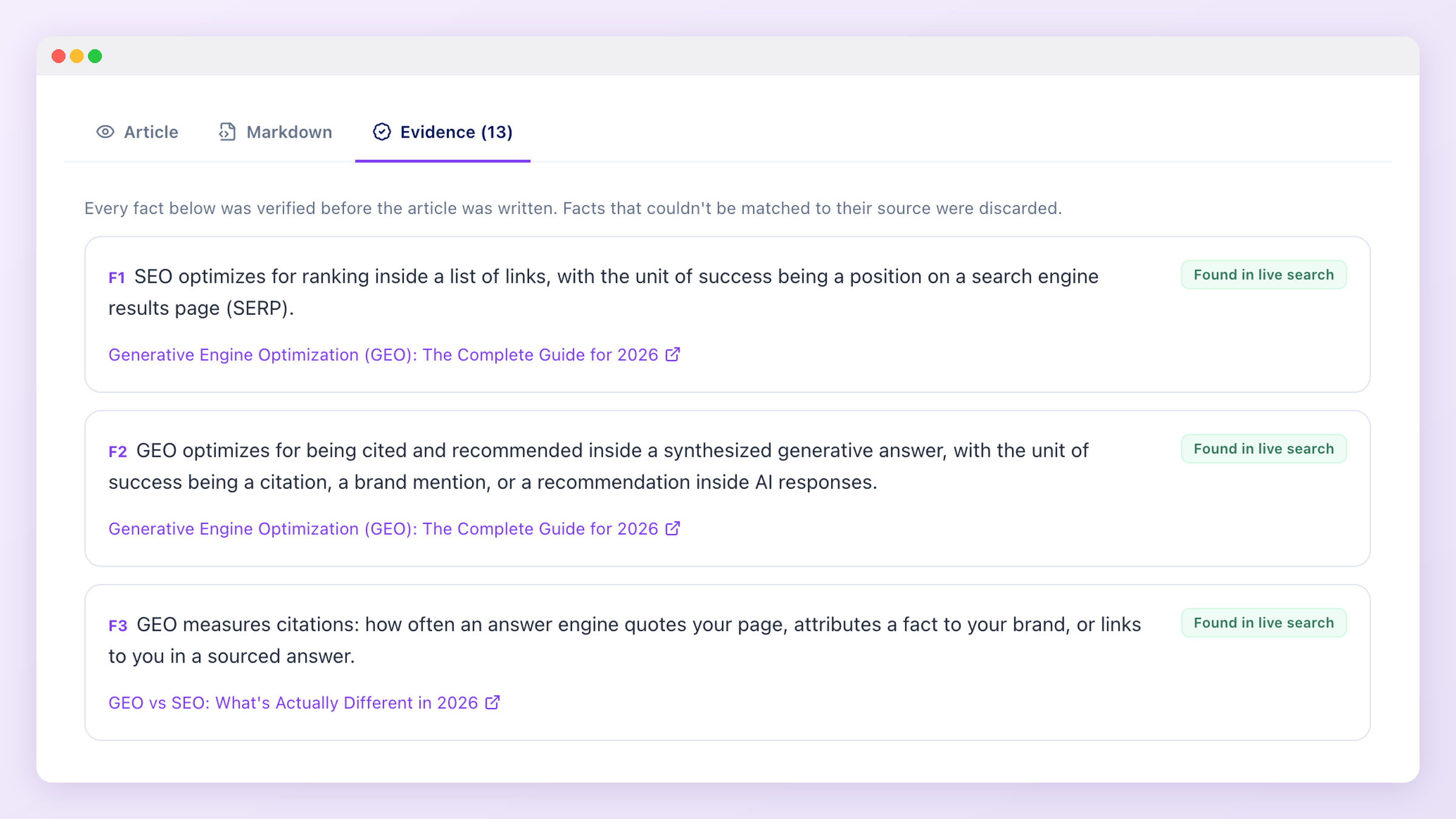
A researched fact is kept only if the search actually returned that page, or if we can open the page ourselves and find the fact's numbers and terms on it. In From sources mode the bar is higher: the exact quote must appear on the page. Everything that survives is listed on the Evidence tab of the finished article with its source and, where relevant, the quote it came from.
The article can only link to those sources. A link to anything else is stripped before you see it, so an invented citation can't reach your site. Statements about named third-party products are treated the same way: if your evidence doesn't cover a competitor, the article won't make claims about it.
GEO readiness score
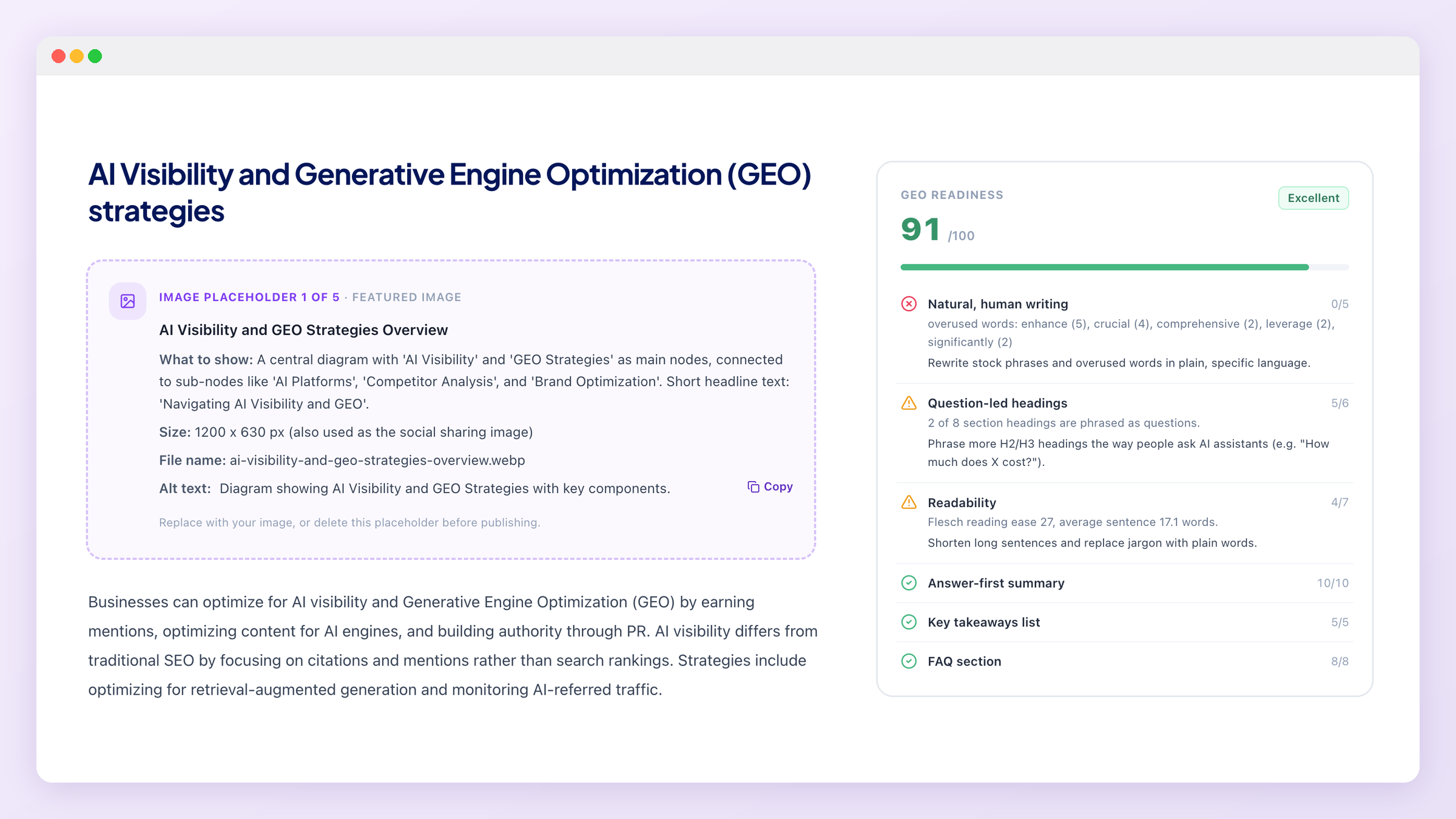
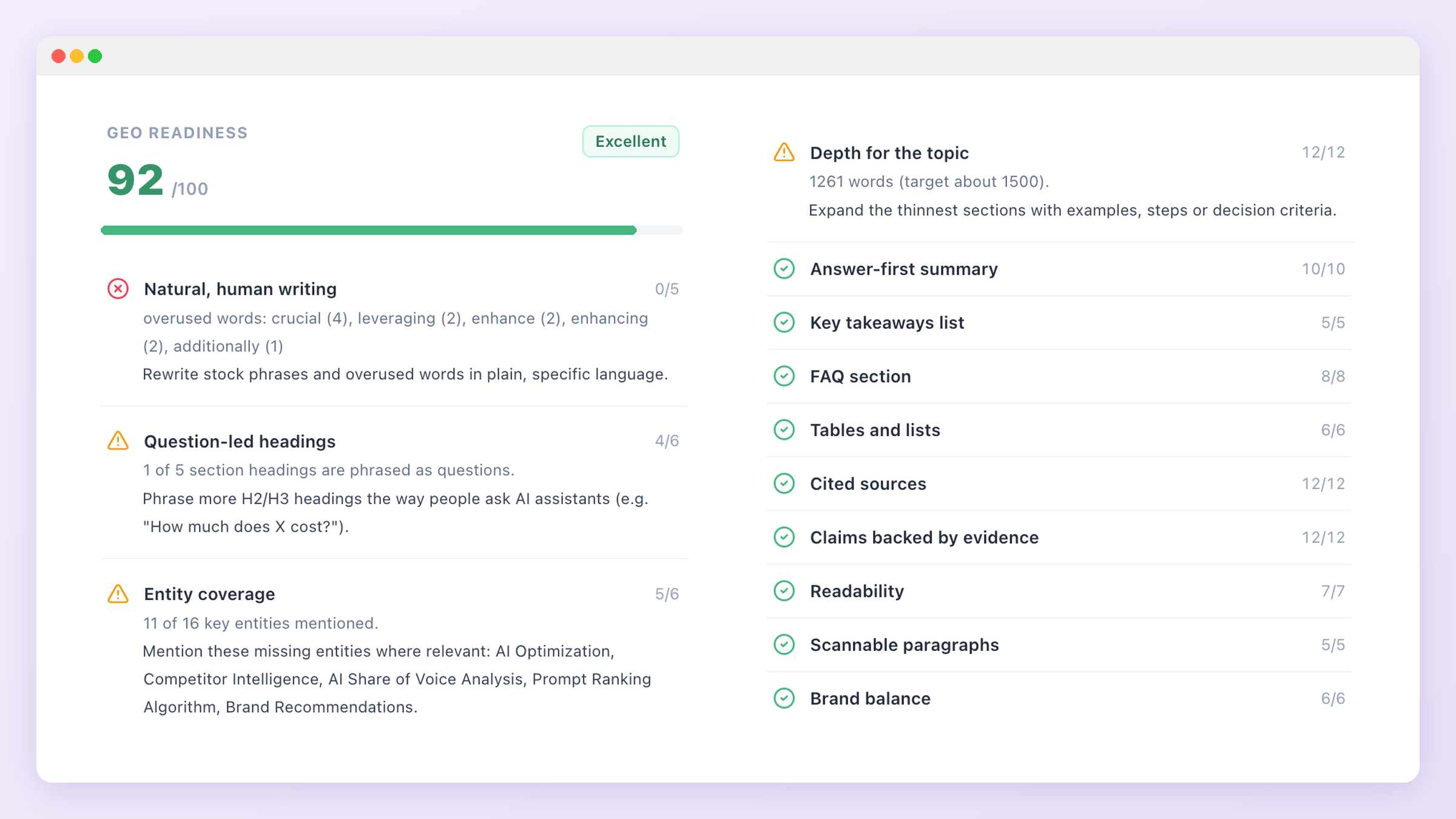
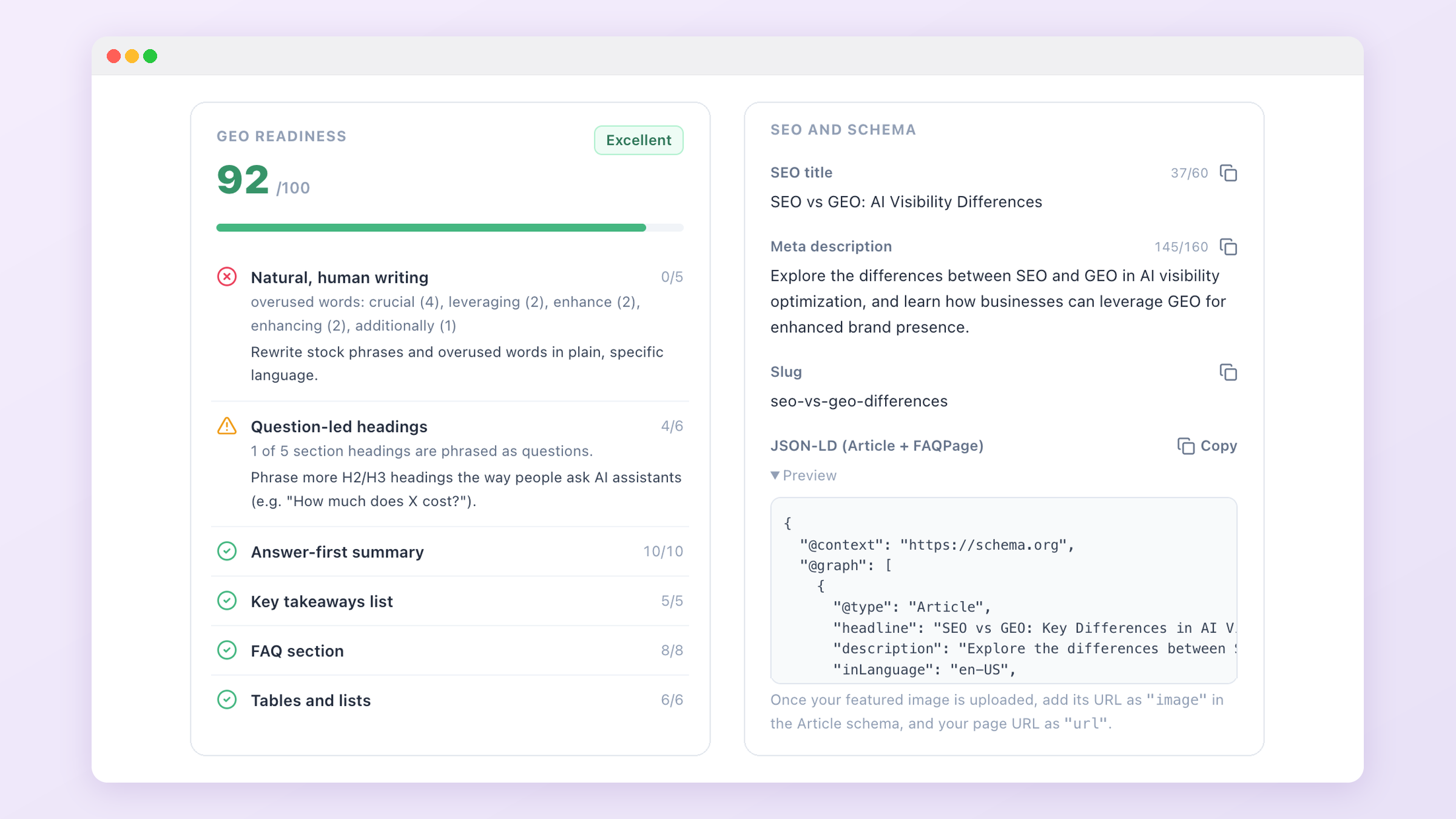
Every article gets a score out of 100, built from checks you can see rather than an opinion: answer-first summary, key takeaways, question-led headings, a FAQ that adds new questions, tables and lists, cited sources, claims backed by evidence, entity coverage, readability, paragraph length, natural writing, depth against the length you asked for, and brand balance. Each check that falls short comes with a specific fix.
Serious problems cap the score, so a flawed article can never look excellent: an article far shorter than the length you chose, several unsourced claims, leftover writing instructions in the text, or heavy self-promotion. When a cap applies, the reason is shown under the score.
Brand mentions
By default your brand is mentioned only where it genuinely helps the reader: once or twice, in a single section, stated as fact, and never in the opening answer, the key takeaways or a heading. You can switch this to feature your brand as a recommended option, or turn mentions off entirely. When the topic is about your brand, or you are optimizing a page on your own site, mentions are expected and are not limited.
Image placeholders
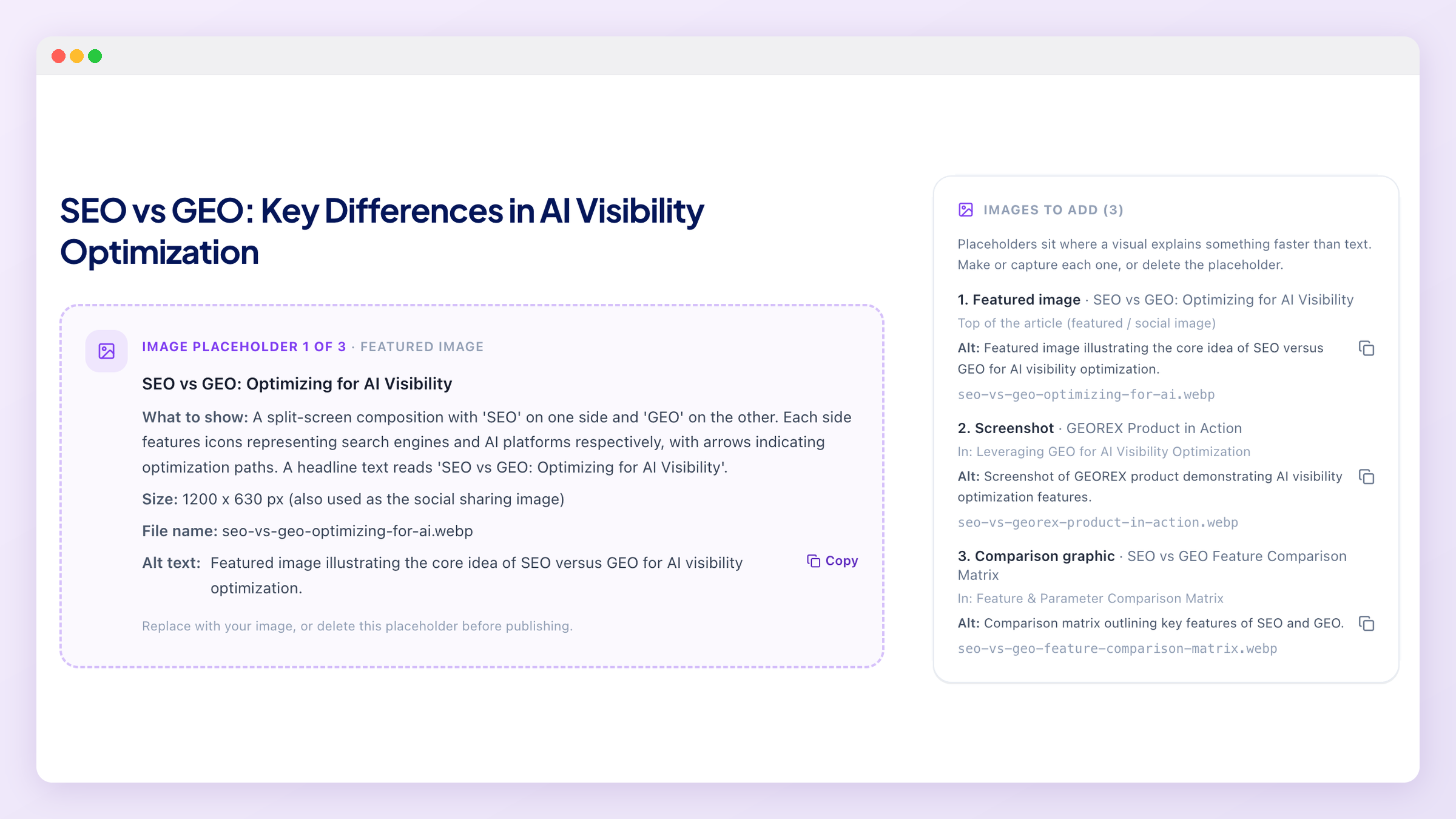
Content Studio doesn't generate images. Instead it marks the places where a visual explains something faster than text and tells you exactly what to make: what the image should show, alt text, a caption, a suggested size and an SEO-friendly file name. Charts are only planned where a verified number supports them, and the caption names the source.
Short articles get two placeholders, standard three and long-form five, including a featured image for the top of the post and social sharing. Use the Image placeholders toggle to include or hide them when you preview, copy or download the article, so you can send a clean copy to your CMS once the images are in.
What you get
Alongside the article you get an SEO title, meta description, slug, and Article plus FAQPage structured data (JSON-LD) ready to paste. Copy the article as Markdown or HTML, or download it as a .md file or a complete .html page with the schema already embedded. "Edit and regenerate" reopens the form with your original settings, so you can change the angle or the length and run it again.
Check before publishing
When something needs your eyes, it is listed in a "Check before publishing" panel rather than buried: numbers we couldn't match to a source, statements about named products that your evidence doesn't support, and sentences that look like leftover instructions. These are rare, but the point of the module is that you never have to guess which parts to trust.
Read it before it goes live
Article credits
All three modules share one pool of article credits. The free trial includes a one-time allowance, and paid plans get a monthly allowance that resets on the 1st. A credit is reserved when generation starts and refunded automatically if it fails, including when the server restarts mid-job. Deleting a finished article does not return its credit. See Plans & Pricing for the allowance on each plan.
Languages
Articles can be written in any of the supported languages, and the structural headings (Key takeaways, Frequently asked questions, Sources) are written in that language too. Research still reads sources in any language; only the article is written in the one you chose.
No AI-generated images
What's next
Publishing is the start of the measurement, not the end of the work. The next full rescan is what tells you whether the article moved your Citations and GEO Health Score, and which tracked prompts now name you. If a page is close but not being cited, run it back through Optimize a page rather than writing a new one.