
Loading
Loading
Loading
Loading
Prompts are the actual questions GEOREX asks each AI engine on your behalf, real, funnel-stage questions a buyer might type into ChatGPT, Gemini, Google AI Overviews, Perplexity, or Claude, not keywords. Every update re-runs this exact list against every engine your plan covers. In the dashboard this page is called Prompts Matrix.
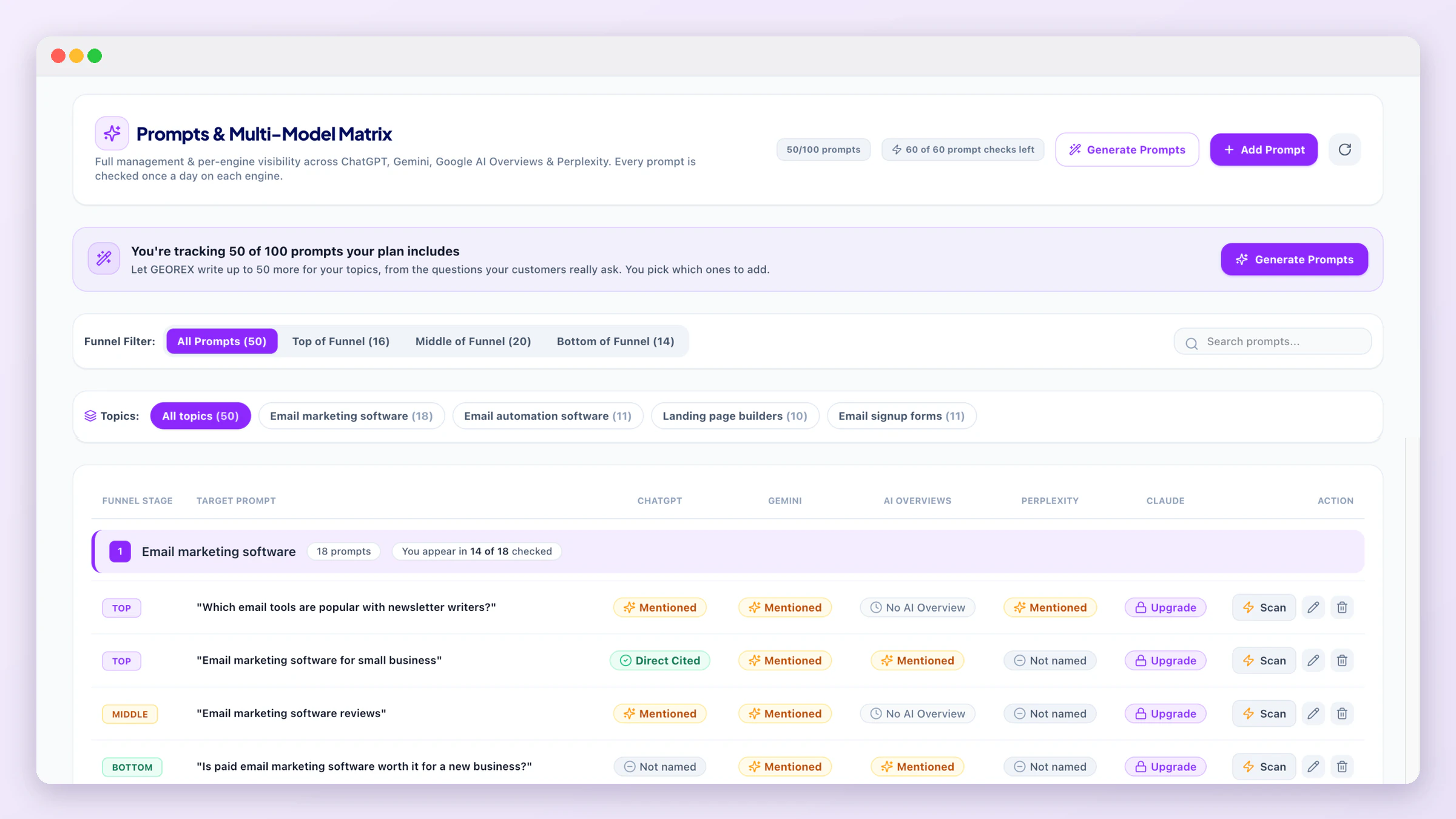
During onboarding GEOREX writes 50 prompts for your domain (a paid plan adding a new domain gets its plan's prompt allowance, up to 100). It works for any kind of business, from software and online shops to bakeries, clinics and freight companies:
"Unbranded" means the prompt doesn't name your brand, it's phrased the way a real buyer who hasn't heard of you yet would ask. Each prompt also has a funnel stage (top, middle, bottom).
On a free account you see all 50 prompts. Your free scan checks 10 of them on ChatGPT (spread over your topics, and you can swap which ones on onboarding Step 3). The other 40 show their question but no result yet: once you upgrade, all of them are checked every day on every AI engine of your plan.
Each row is a prompt; each engine column shows whether your brand was mentioned, cited, or absent the last time that prompt was scanned. This is where you can see, at a glance, which specific questions AI engines answer without you, and which ones they already get right. With daily updates each engine is asked every prompt once a day, so under each status you also see on how many of the last 7 days you showed up (for example 5/7 days). Engines that are not on your plan show a lock, and No AI Overview means Google showed no AI Overview for that search (it is not counted in your score). Every update's history is in Update History.
Above the table, four summary cards show the whole picture: in how many of your checked prompts AI names you, the same per engine on your plan, per funnel stage (with your weakest stage), and the prompts where no engine names you. Click a funnel stage or the gap card to filter the table to those prompts.
Click any row and a panel opens on the right with everything GEOREX knows about that one question.Overview shows the latest result per AI engine on your plan (with the last-7-days count), the other brands the answers named and how many answers named each one, and the websites the answers linked. Answers shows the full text of every stored answer, engine by engine, with your brand name highlighted wherever it appears, the brands each answer named and the links it gave; use the engine chips to read one engine at a time. Sources lists every website the answers linked with each page, and a Mentions you? check that reads the page and tells you whether your brand is on it (a page that does not mention you is a place to get listed; theCitations page has the playbook). Check top pageschecks the first two pages of every non-competitor site at once; results are kept for a day.
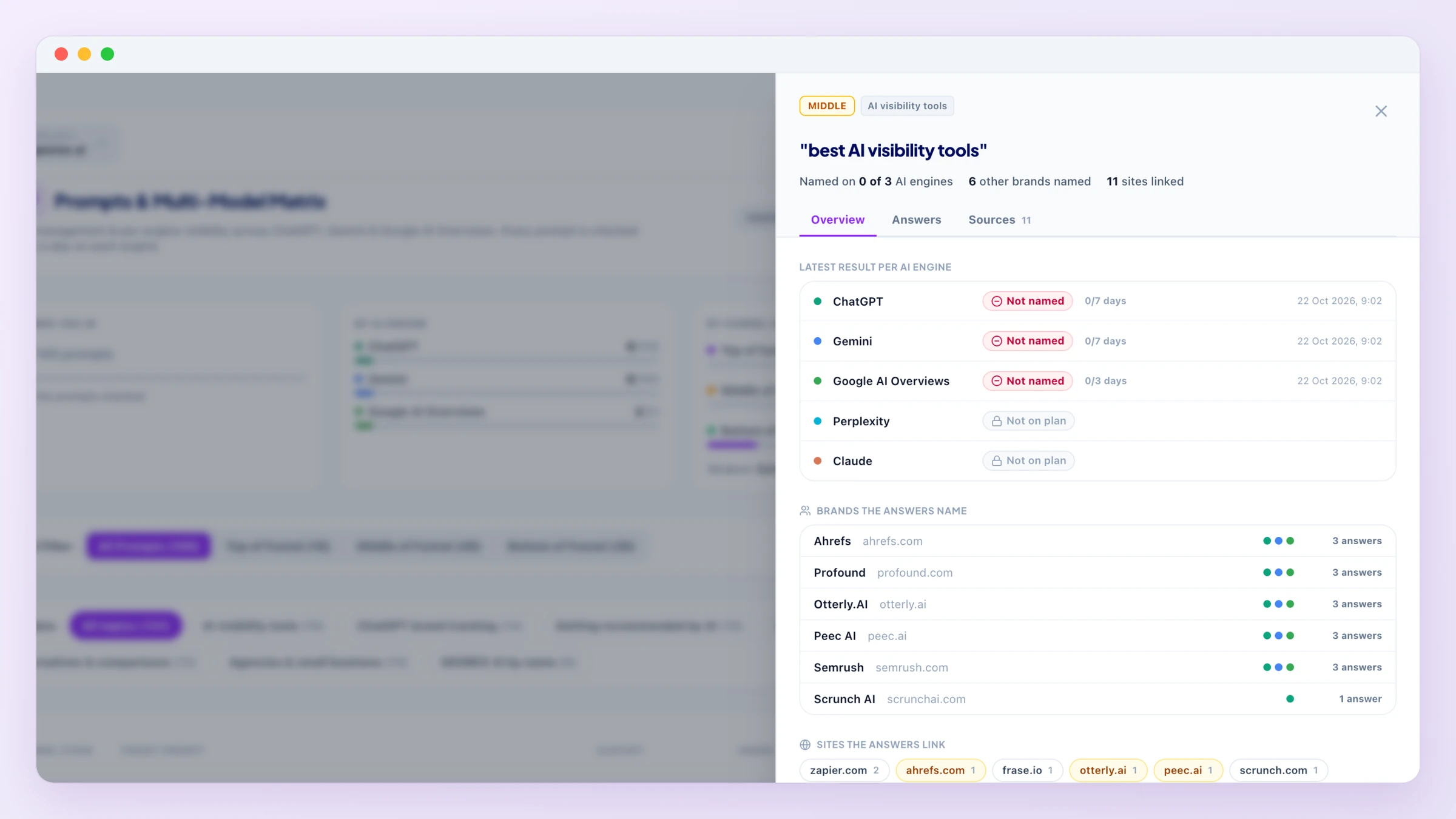
During the free trial the panel opens for the prompts your free scan checked; the other rows open the upgrade dialog.
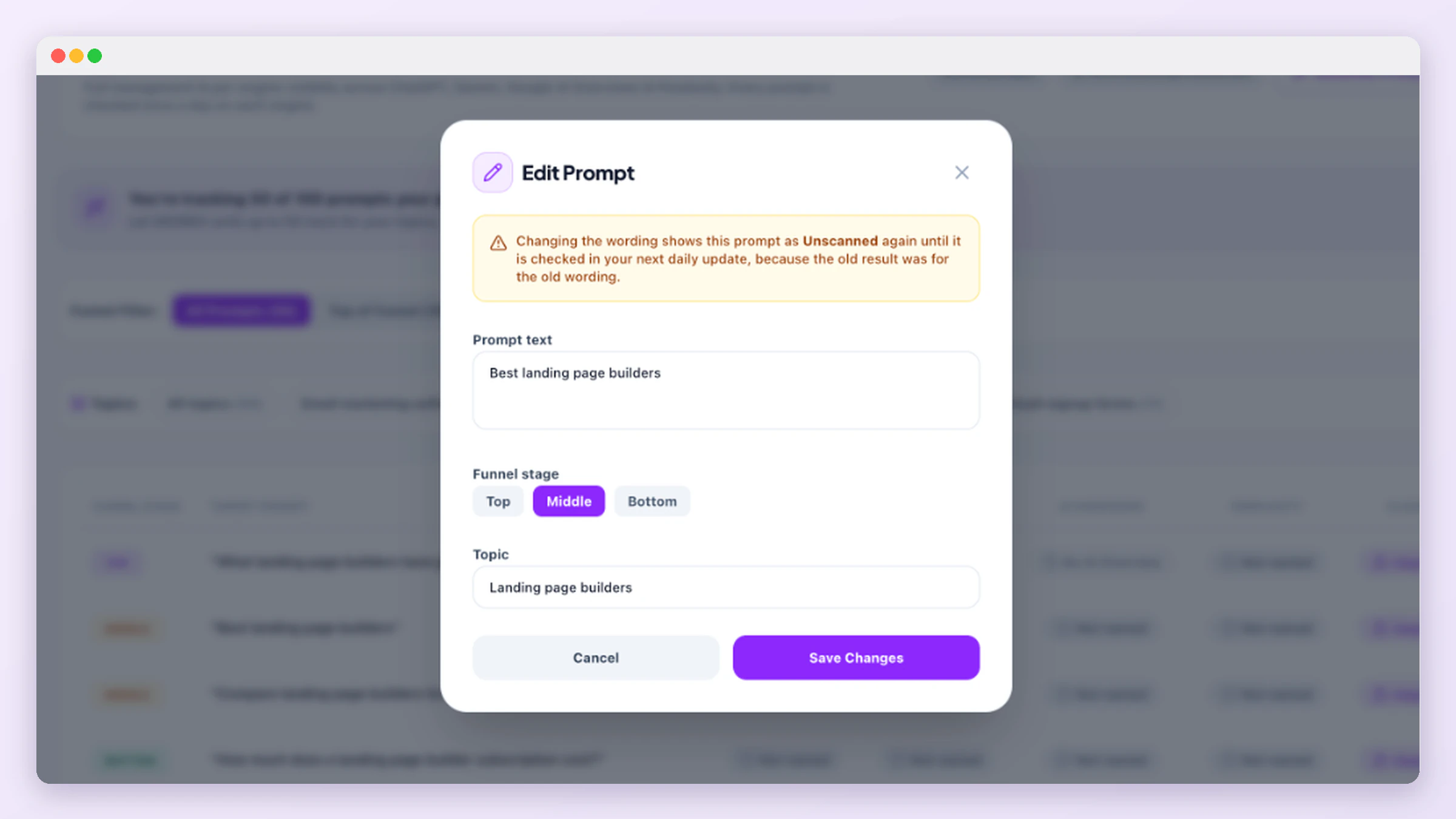
Add (+ Add Prompt), edit, or delete prompts at any time, and move a prompt to another topic. A new prompt shows as Unscanned until it is checked. Changing a prompt's wording resets it to Unscanned too, because the old result belonged to the old wording. Use the topic chips to see one topic at a time, the Funnel Filter to see one funnel stage, or search.
On a paid plan, the Scan button on a row asks that prompt to every AI engine on your plan straight away, instead of waiting for the next daily update. These on-demand checks have a monthly allowance that depends on your plan (see Plans & Pricing); it is shared by all your domains, the page shows how many are left, and it resets on the 1st of every month.
On a paid plan, Generate Prompts writes new prompts for you with the same method as onboarding: pick one of your topics, a new topic, or let GEOREX choose, and how many you want. You get a list to review and tick; only the ones you add are tracked, and a prompt you already track is never suggested again. It is limited by your plan's prompt allowance per domain (see Plans & Pricing), and you can generate up to 10 times a day per domain, however many prompts you ask for each time. Prompts you add show up right away as Unscanned and are checked automatically in your next update.
Keep prompts realistic
See how the brands showing up in these answers are classified in Competitors, or see exactly who's being cited in Citations.